

See who has it, what is missing and what can be issued.
Choose software around the answers your storekeeper needs during a busy shift, including the cases where a kit comes back incomplete.
Put each issue against a person and a job
Keep the recipient, issuing counter, tool identity and work reference together. Record a later transfer explicitly so the first borrower does not remain responsible for equipment handed to another team.
Inspect the contents behind the kit label
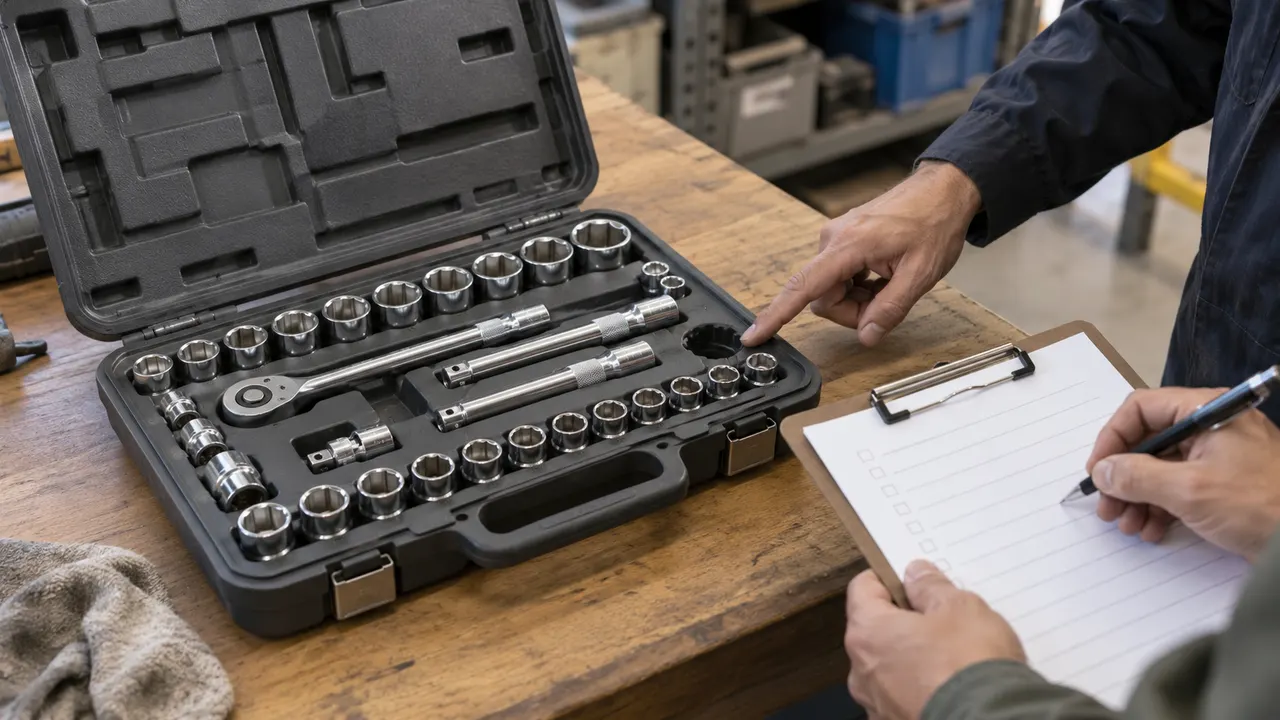
A case label identifies the kit; its contents list identifies the tools inside it. Compare each returned component with the edition issued and keep missing parts, substitutions and damaged items visible.
Base availability on condition and completeness
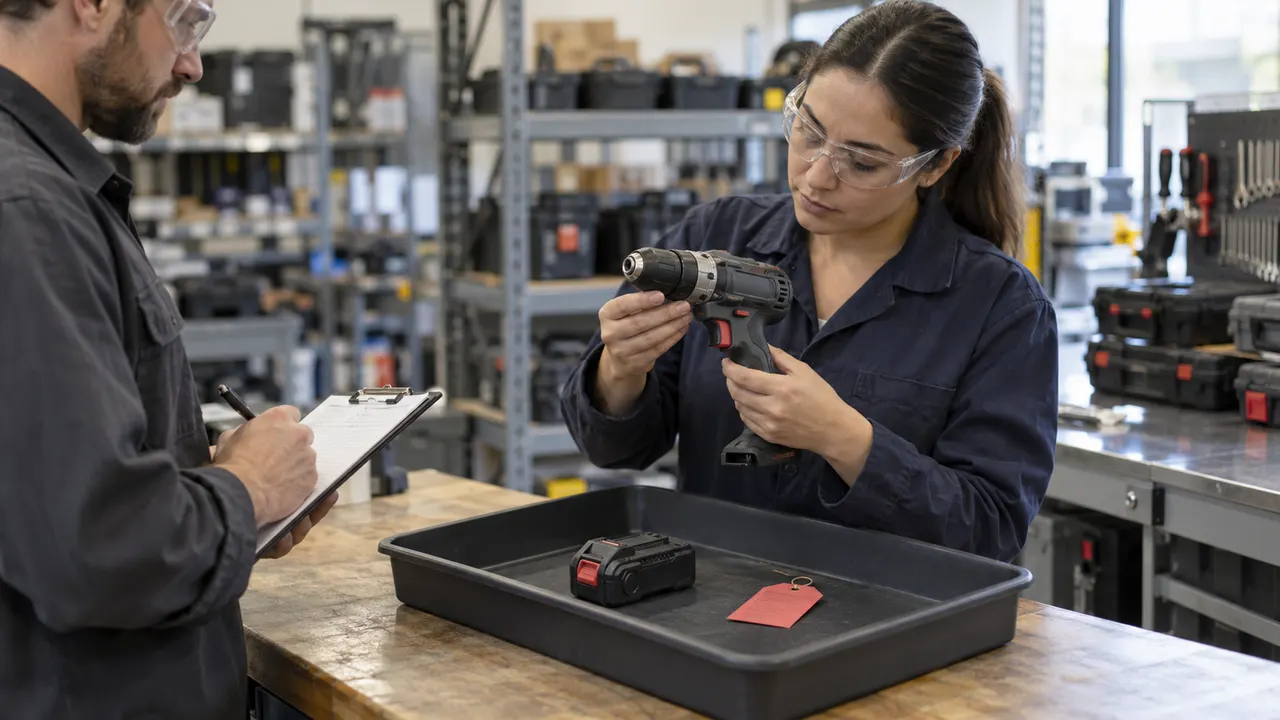
Separate an item in custody, an item received for inspection and an item cleared for reissue. Show usable individual tools and complete kits without adding held or unverified returns to the available count.
Follow the tools across the counter.
Record the physical handoff, compare the returned contents, and route items needing attention to a separate inspection area.
Prepare for a useful product review.
Use these checks to compare fit, evidence and implementation before committing to a product.
Link calibrated equipment to its permission for use
A tool store may issue measuring equipment alongside ordinary hand tools. Connect the instrument's approved status and restrictions to the issue decision, while leaving certificate review and technical authorization with the responsible calibration team.
Explore calibration records and authorizationSeparate internal custody from commercial tool hire
Internal tool custody follows staff, jobs and returns. A rental operation also needs customer bookings, hire periods, charges and commercial return terms. Keep those responsibilities clear when both operations share equipment or storage.
Compare tool rental service requirementsStart with the workshop's actual mix of equipment
Mauritius supplier IMEXCO describes tools, instruments, consumables, spare parts and workshop services. That mix is a useful prompt for your own register: decide which items are uniquely identified, which form kits and which are consumed on a job.
Read IMEXCO's tools and workshop service scopeConnect labels to stable tool identities
Agree label size, durability and scanning conditions before choosing the identifier format. Test a worn label and a replacement label against the same tool record, with a human-readable fallback that the counter team can verify.
Explore barcode label preparationConnect consumable stock to supplier replenishment
Tool custody tracks an item expected to return; supplier replenishment follows stock consumed at a customer site. For consumable packs, compare count freshness, case quantities, approval limits and receipt exceptions before agreeing the next delivery.
Explore supplier-led customer stock replenishmentFrom a tool request to a reconciled return
Use these six handoffs to compare tool crib management software or define a custom workshop application. Each stage has a physical action and a corresponding record.
Identify tools, bins and kit contents
Distinguish serialized equipment, interchangeable returnable items and consumables. Capture tool identifiers, storage positions, units, opening condition and relevant inspection references. Give a kit its own identity and a dated contents edition; resolve reused labels or duplicate serials before opening custody balances.
Request and allocate suitable equipment
Record the requester, job or work order, required time and return expectation. Check that the selected equipment is available, permitted for the recipient and suitable under the operation's rules. Keep a reservation distinct from an actual issue, and release an expired reservation through a recorded action.
Record the issue at the counter
Match the recipient and each item handed over. Save the kit edition, component identities, quantities and condition observations with the issuer and time. For consumables, record an issued quantity rather than creating a return obligation for every unit. An unavailable item or incomplete kit needs an approved exception before dispatch.
Track custody changes during the job
Connect a transfer to the original issue and identify the receiving person or location. Keep a lost label, overdue loan, field damage report or disputed handoff assigned to an owner. Where mobile capture is required, define how unsent records and conflicting assignments will be reconciled before treating them as confirmed.
Receive and compare the returned contents
Check returned tools against their issue lines and the issued kit edition. Record matching serviceable components, damaged returns, unexpected serials and missing components separately. A wrong replacement should remain an unmatched receipt while the original obligation stays open; a second scan of the same receipt must not increase stock again.
Clear eligible items and resolve the balance
Return inspected items to their approved storage locations and route held equipment to the responsible reviewer. Reconcile the custody balance, consumable usage and any outstanding components. Close a kit only when its required contents and condition meet the agreed rule, or record an authorized contents change with its history preserved.
Permissions for a staffed tool counter
- Storekeepers identify and issue tools, borrowers acknowledge custody, and supervisors approve transfers or exceptions. Assign condition reviews to the responsible maintenance or technical role. A purchasing user may receive new stock without gaining permission to clear a damaged return.
- Define authority for changing kit contents, writing off missing equipment, correcting an issue and overriding a reservation. Preserve the original event, correction reason and approving person so a stock adjustment cannot quietly erase a disputed loan.
- Restrict site and contractor access to the tool stores and jobs they need. Share operational custody information without exposing unrelated employee records. Provide a readable export of issue, receipt and resolution history for the people responsible for reconciliation.
Difficult demonstrations worth requesting
- Bring a case with one empty recess, a damaged component and an item bearing the wrong serial. Ask the supplier to show what is physically present, what matches the issue and what is eligible for another job; those are three different questions.
- Test an item transferred between shifts, a cancelled reservation, a lost barcode and a return recorded against the wrong borrower. Check that the correction preserves history and produces a clear remaining custody obligation.
- Repeat a receipt message, submit two issues for the same serialized tool and reconnect a device with an unsent transfer. Show which action is accepted, which needs reconciliation and who owns the unresolved case. Include returned consumables without returning the quantity already used.
Migration, scanners and source-system responsibilities
- Prepare tool and bin registers, kit editions, opening counts, outstanding loans, condition holds and work-order references. Count physical stock before cutover and assign unresolved differences. Keep imported loan balances distinguishable from newly acknowledged handoffs.
- Bring the exact barcode labels, scanner models and any cabinet-controller documentation to the consultation. Agree how identifiers are entered and verified. A custom development scope should specify and test each device interaction before it becomes an operating dependency.
- Map the systems owning employee access, work orders, purchasing, asset identity and inspection status. For each exchange, agree its supported API or export, direction, timing, duplicate key and rejected-record process. Separate operational consumption from any financial posting authorized by the accounting owner.
Quote, deployment and continuing support
- Share tool counts, kit complexity, sites, shifts, counter staffing and current issue volumes. Include anonymized issue slips, a difficult return and the reports used to chase overdue items. Offline operation, unattended access, hardware and historical cleanup change the development effort.
- Agree hosting, user access, retention, backups and a restoration exercise for open custody records. Pilot one tool store with a physical opening reconciliation, clear support contacts and a documented cutover point before extending to more counters.
- Decide who maintains kit editions, condition rules and employee permissions after launch. Specify support coverage for blocked issues, device faults and inconsistent balances, including the manual procedure used while a connection is unavailable.
A tool crib record model and return checklist
Use this model to discuss what your application needs to remember. It connects the physical tool, the issued contents and the decision to put equipment back into circulation.
| Record | Example inputs | Required output and control |
|---|---|---|
| Tool or stock item | Tool T-84; serial where applicable; item class; unit; bin B-7; condition; inspection reference; active label. | Separate serialized tools, interchangeable stock and consumables. Keep location and eligibility visible without changing the identity of the item. |
| Kit and contents edition | Kit K-17; edition 3; twelve returnable components; required identities or quantities; effective date; contents owner. | Attach the issued edition to the loan. Preserve later substitutions as authorized changes rather than rewriting what was originally handed over. |
| Request and issue | Request Q-21; job W-508; recipient; reservation expiry; issue I-62; issuer; handed-over lines; due time. | A reservation allocates capacity; an issue starts custody. Reject a competing issue for the same serialized item and retain the first handoff. |
| Custody transfer or exception | Transfer X-9; original issue I-62; receiving person or site; acknowledgement; overdue, loss or damage case; next owner. | Change responsibility through a traceable event. Leave a disputed or unsent transfer awaiting resolution rather than guessing its recipient. |
| Return receipt and line match | Receipt R-31; issue I-62; eleven objects presented; ten matching components; one unexpected serial; component condition; receipt key. | Match each expected component once. An unexpected serial cannot clear a different tool's obligation; retrying R-31 acknowledges the same receipt. |
| Availability and closure decision | Nine eligible components; one matched component on condition hold; two expected components outstanding; kit status; reviewer; resolution reference. | Keep three expected components unavailable and the kit incomplete. Release a hold, approve a replacement or resolve a loss only through the assigned authority. |
Illustrative tool-store records: kit K-17 edition 3 was issued with twelve returnable components. At receipt R-31, the borrower presents eleven objects: nine match and pass the agreed return check, one matches but needs a condition review, and one has the wrong serial. Ten of the twelve expected components have physically returned with matching identities: 10 / 12 = 83.3%. Nine are eligible for reissue: 9 / 12 = 75%. Three expected components remain unavailable: the matched item on hold and two outstanding originals, one of which was presented as the wrong replacement. The unexpected object stays in an unmatched-receipt area. Keep the complete kit unavailable until its contents rule is satisfied or an authorized new edition resolves the replacement; preserve edition 3 on the original issue. Replaying receipt R-31 changes none of these totals. Consumables follow a different balance: from a bin of fifty bits, six are issued, two are used and four unused bits return. After checking those four, available stock is 50 - 6 + 4 = 48, not fifty.
Compare options using the same incomplete kit
These providers describe different tool-store approaches. Ask each one to demonstrate the twelve-component example and explain its device, licensing and implementation scope.
| Option | Published focus | Ask in your demo |
|---|---|---|
| GigaTrak | Tool identity, usage and maintenance history with barcode and mobile tracking options. | Demonstrate kit components, the unexpected serial and a repeated receipt while preserving each borrower's outstanding items. |
| AutoCrib Touch Toolroom | Touchscreen tool-store transactions, item requests and attended or unattended issue and return arrangements. | Show which physical access and device components are required, and how an incomplete or held return affects the next issue. |
| CRIBWISE | Manufacturing tool and inventory management, ordering and storage-system options. | Reconcile the twelve returnable components and the separate consumable balance without counting used bits as available stock. |
Compare site and user licensing, scanners, labels, storage hardware, migration, training and support alongside a custom build. Include the cost of maintaining kit contents and resolving count differences. Use your own return scenario in every demonstration; a list of tracking features cannot establish how a particular exception will behave.
Category reference: GigaTrak: tool identity, custody and history in a tool crib. Take the record model, arithmetic and twenty acceptance cases into a software demonstration or development consultation.
Measuring equipment needs its own technical review
Connect the tool identifier to calibration evidence and permitted use while keeping the laboratory review and technical decision on their own workflow.
Open the related solutionConnect the tool store to the manufacturing job.
Use work-order references, shift responsibilities and equipment requirements to define where the counter workflow meets the wider operation.
Explore manufacturing workflow requirementsQuestions to settle before choosing tool crib software
Use a real issue slip, an incomplete kit and your stock-count method to make the discussion concrete.
What does tool crib software track?
It tracks tools or supplies held in a workshop store, their issue to people or jobs, transfers, returns and availability. For kits, connect the case to its required contents. For consumables, track issued and unused-return quantities separately from returnable-tool custody.
Can Codeblix build software for our tool counter?
Yes. Codeblix offers custom development for tool-store workflows, including the records, permissions and exception cases your team needs. Bring your register, kit lists and anonymized issue and return examples so the consultation can establish a focused implementation scope and quote.
How is tool crib management different from asset management?
An asset register follows equipment identity, ownership and lifecycle. Tool crib management concentrates on repeated issue and return transactions, borrower responsibility, kit completeness and stock eligible for another job. Use a shared equipment identifier when connecting the two workflows.
Should returning a case mark the whole kit available?
Check its contents against the edition issued before clearing the kit. A closed case can contain missing, damaged or substituted tools. In the worked example only nine of twelve expected components are eligible for reissue, so the kit's complete status stays unresolved.
How should the system handle a wrong serial or duplicate return?
Keep the unexpected object as an unmatched receipt and leave the original tool obligation open. Give the receipt a stable reference so a repeated scan or import acknowledges the existing event without increasing available stock or clearing another loan.
Can scanners, smart cabinets or existing work-order systems connect?
Scope each connection from the actual device model, supported interface and current source-system documentation. Agree identity keys, access rules, timing and failures, then verify the chosen interaction during implementation. Device supply and unattended-access behavior belong explicitly in the quotation.
What needs to be decided for offline issue and return?
Define which actions are allowed while disconnected, how pending records are shown and what happens if two counters assign the same tool. Reconciliation must resolve conflicting custody before both transactions are treated as confirmed. Include reconnection and duplicate-message cases in the pilot.
What determines the cost of a custom tool crib system?
The number of stores, item types, kit editions, users, shifts, hardware interfaces and source systems shapes the work. Historical loan cleanup, offline capture and unattended access can add scope. Agree hosting, backup restoration, rollout, training and support responsibilities before approving the project.