How it works
From paper receipt to MRA-fiscalized invoice in four steps. No typing, no calculators, no spreadsheets.
- 1Step 1
Capture the receipt
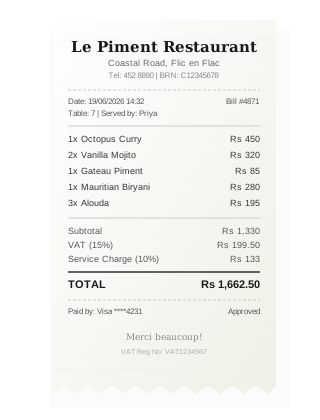
Take a photo with your phone or upload a PDF. Any format works - printed receipts, handwritten notes, digital receipts, supplier delivery notes. The AI handles crumpled paper, poor lighting, and angled shots.
- 2Step 2
AI reads and extracts
Our OCR engine reads every character on the receipt. It identifies the vendor name, BRN, VAT number, date, line items, unit prices, quantities, VAT amount, and total. Then it validates the data against MRA format requirements.
- 3Step 3
Invoice generated
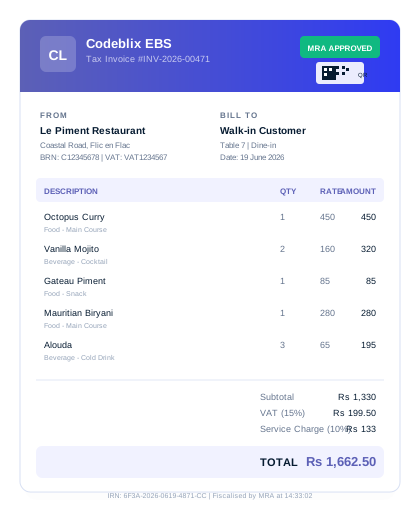
AI maps extracted data to a proper MRA tax invoice format. It assigns the correct product codes, calculates VAT at 15%, adds service charges if present, and fills in all required fields: supplier BRN, invoice number, date, line items, totals.
- 4Step 4
MRA fiscalization
The invoice is submitted to MRA's EBS system. MRA assigns an Invoice Reference Number (IRN), generates the QR code, and returns the fiscalized invoice. The whole thing happens in the background. You see the final result with QR code and IRN attached.