
Presentation software for sale: buy MemoSlide domain and source
Acquire an owned memo-to-presentation planning product for individuals and teams.
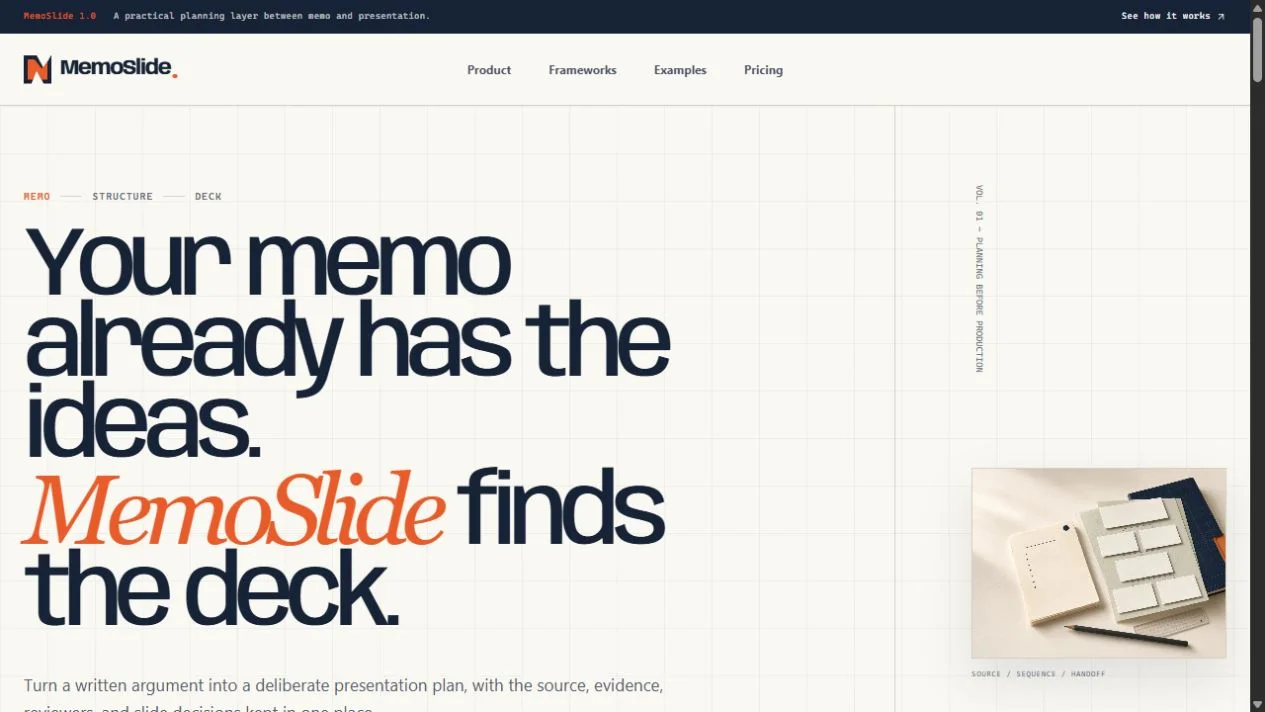
Buy MemoSlide with its domain, source package and product documents. Request a seller walkthrough of memo import, editable slide planning, collaboration and export before agreeing the acquisition.
MemoSlide is presentation software for sale through Codeblix. The acquisition opportunity is a named memo-to-presentation planning product, with a domain, source package and handover documents to agree in the transaction. It is intended for a buyer who wants to operate software for individuals and teams that turn written thinking into structured presentation plans.
The product uses deterministic planning tools. It does not require an external AI key to turn a memo into editable sections and slides. That distinction matters when you buy it: you are assessing a source-review, narrative-planning and collaboration workflow, rather than purchasing a claim that AI will produce finished presentations without human judgement.
Request the MemoSlide acquisition package
Contact Codeblix and request the MemoSlide source package on Flippa →
Use the current Flippa listing to confirm price, availability, financial representation and included assets. The MemoSlide product page connects the public preview with the sale and product documents. Before making an offer, read the MemoSlide user documentation and technical handover document, then ask the seller to demonstrate the parts that determine your purchase.
The intended package gives an operator a focused product foundation. Customer acquisition, product positioning, support and external services remain operating work. Do not infer an established audience or subscription income from a polished website or a collection of example decks. Base the transaction on the actual software, domain, documentation and agreed transfer assistance.
The asset you are buying sits between a memo and a deck
Many presentation tasks begin before a designer opens a slide editor. A team has a written proposal, a project update or a decision memo. The content contains claims, supporting evidence and an intended request. Someone must decide which parts belong on slides, how the story should progress and what the audience needs to understand before taking action.
MemoSlide's documented role is that planning layer. It accepts plain text or Markdown, detects sections, helps organise the narrative and lets the user edit a slide plan. Its feature set includes slide ordering, splitting, combining, archiving and restoration. A buyer should inspect these as a connected workflow. The number of buttons matters less than whether a person can preserve their thinking while changing its presentation.
This scope offers a concrete positioning choice. You could serve teams that already write strong memos but struggle to prepare meeting decks. You could focus on consultants who need a repeatable planning process. You could offer an individual planning product. Each route still needs customer conversations and a supported first-use experience. Buying the foundation does not determine which audience will pay for it.
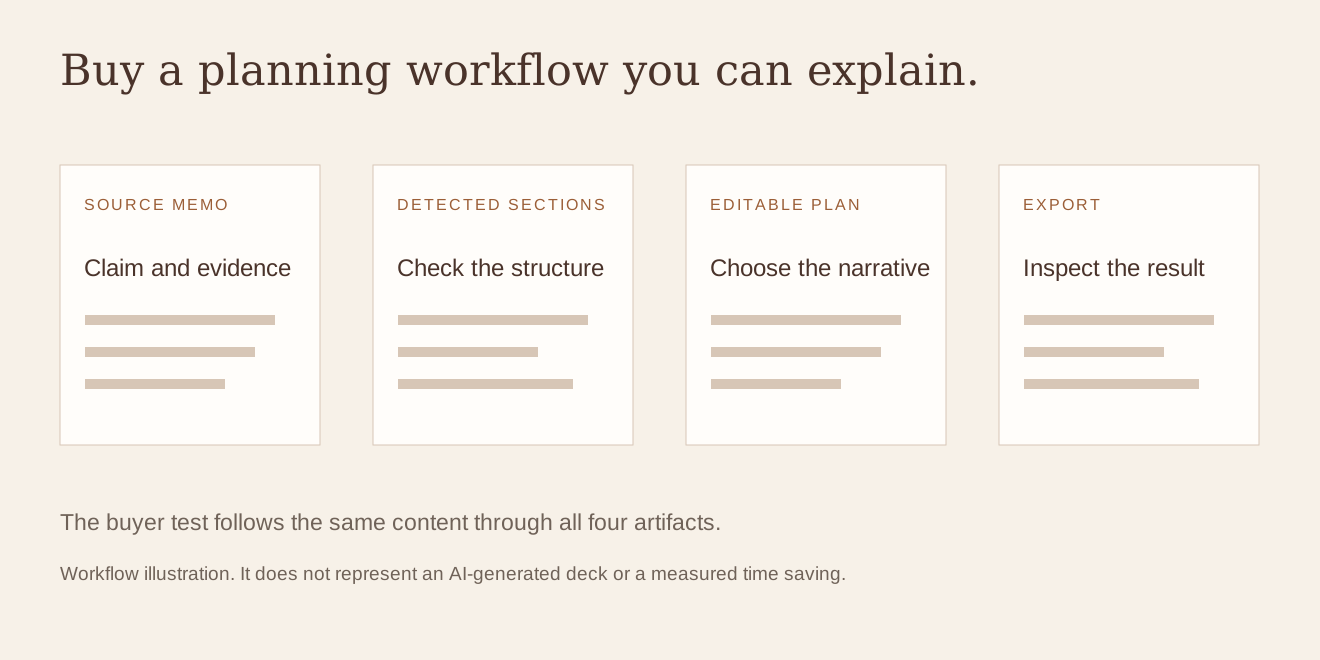
Bring a small memo with a decision hidden inside it
Prepare a short fictional memo for the seller walkthrough. It should contain a current situation, a problem, evidence, two possible actions and a recommendation. Make the final decision explicit enough that you can recognise whether the slide plan preserves it. Avoid using confidential client work: the purpose is to inspect the product, not transfer real business information into a demonstration account.
Include one awkward feature of everyday writing. You could repeat an important point in two places, mix a heading with a long paragraph, or include evidence that supports a later recommendation. A perfectly formatted sample may hide the point where the user needs to correct the detected structure. The buyer should see both the initial result and the editing controls that make it useful.
Ask the seller to import that memo through the ordinary interface. Observe what the product treats as a section, which content becomes a slide candidate and where a person can make changes. A deterministic workflow can be valuable because its behaviour is explainable. It still needs a human who can decide whether the proposed story is right for the audience.
“We recommend a limited launch because the current support team can cover one customer group. The next decision is whether to fund that launch.”
This is fictional test wording, not a business recommendation. Use a sentence like it to check whether the decision survives import, slide editing and export. If the final deck presents only background and loses the requested action, you have found a useful product question to resolve before purchase.
Four delivered artifacts make the package easier to inspect
| Artifact | What to inspect | What it establishes |
|---|---|---|
| Imported memo | The source text and editable interpretation. | Whether the starting material is represented accurately. |
| Narrative plan | Section selection, framework and slide budget. | Whether a person can organise the argument deliberately. |
| Edited slides | Order, headlines, split or combined content and evidence. | Whether the user can correct the plan without losing its purpose. |
| Exported file | Content, editability and usability in the intended destination. | Whether the output supports the next real task. |
Keep these artifacts together. A successful import does not prove a usable export, and a valid PowerPoint file does not prove that the narrative is coherent. The purchase decision should connect the starting text with the result your future customer will actually use. That gives you a better basis for acceptance than comparing unrelated screenshots.
Check the controls that change the argument
During the walkthrough, move a slide that introduces evidence before a slide that states a recommendation. Ask whether the result still reads clearly. Split one overloaded slide, combine two repetitive slides and restore something you archived. These are small actions, but together they show whether the product supports deliberate editing or merely produces a fixed sequence.
The documented planning checks include evidence coverage, headline quality, story flow and redundancy. Ask the seller to show a specific message and explain what caused it. A rule-based warning is most useful when the user can understand and act on it. It should support judgement rather than pretend to certify that a presentation is persuasive or factually correct.
Also examine what happens to source references when the plan changes. A team may need to return to the memo to confirm a number or qualification. If the product provides a source relationship, inspect how it appears after a split or combination. If it does not retain the link you require, record the manual process or additional work needed. Do not assume that the word “evidence” implies citation management, external verification or a research service.
No AI key means a different dependency list
MemoSlide's planning workflow is deterministic and its stored product description says no AI key is required. That is a meaningful product characteristic. The owner can explain that the software works through defined section detection, frameworks and checks, rather than describing every suggestion as an external model response.
It does not mean there are no external services. The current source foundation uses application hosting, authentication, a backend and platform billing. A buyer must understand those dependencies, the accounts that will own them and the costs of operating the chosen configuration. A product without a generative AI requirement still needs maintenance, monitoring and customer support.
Keep your own sales copy aligned with that boundary. If you buy MemoSlide to sell an AI presentation generator, you would be promising a different product. You can choose to add new capabilities later, but the current acquisition should be valued and accepted for its delivered workflow. Clear positioning makes it easier to attract customers who want structured planning rather than an output the product does not claim to create.

Export the same plan in the formats you intend to sell
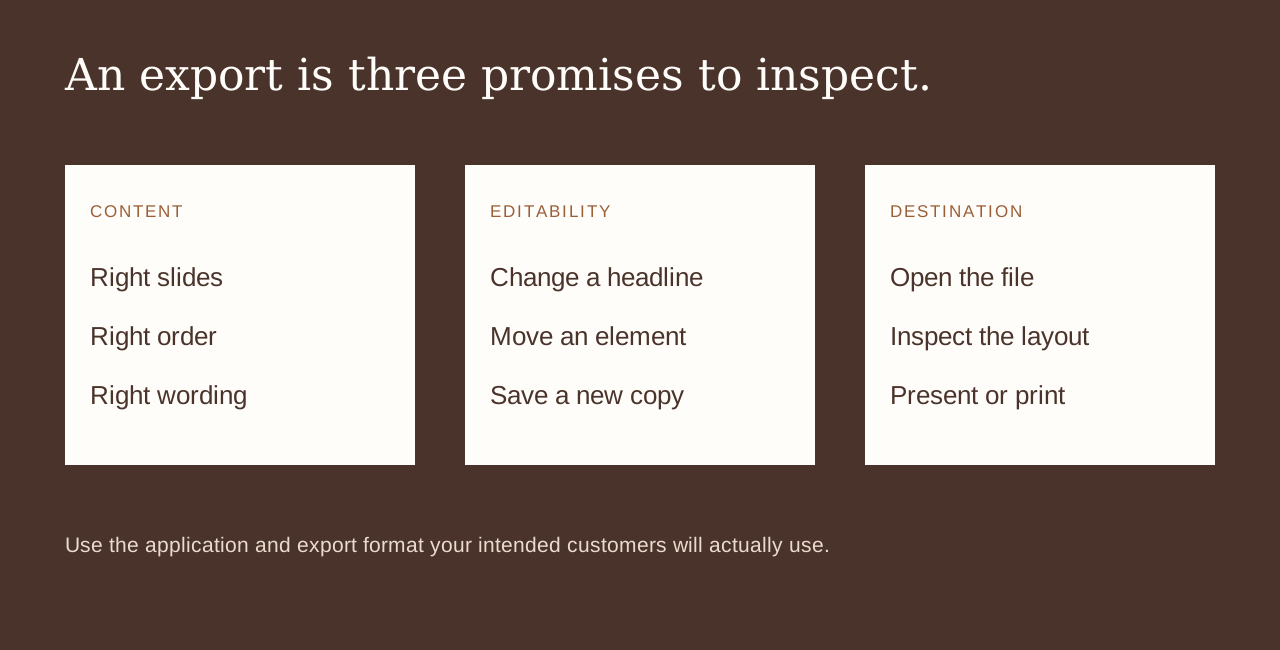
The documented exports include Markdown, JSON, editable PowerPoint and print output. Decide which of those matters to your first customer group. A consultant preparing a client deck may prioritise editable slides. A writing team may want a structured text handoff. An organisation keeping a decision record may value a readable printed plan.
Download the relevant export during the demonstration and open it in the destination you intend to support. Change a headline, inspect the slide order and save a new copy. Check how long text, punctuation and a slide with several supporting points appear. A file extension is not enough evidence of a usable result. The buyer should see the output, not merely the menu option that creates it.
If a destination has specific formatting requirements, state them before the sale. A general editable export does not guarantee every organisation's master template, font library or presentation convention. Brand kits can help structure a product offer, but you should still inspect the example that represents your intended customer. Add any required custom export work to the scope rather than leaving it as an assumption.
Buy team collaboration only after testing a real disagreement
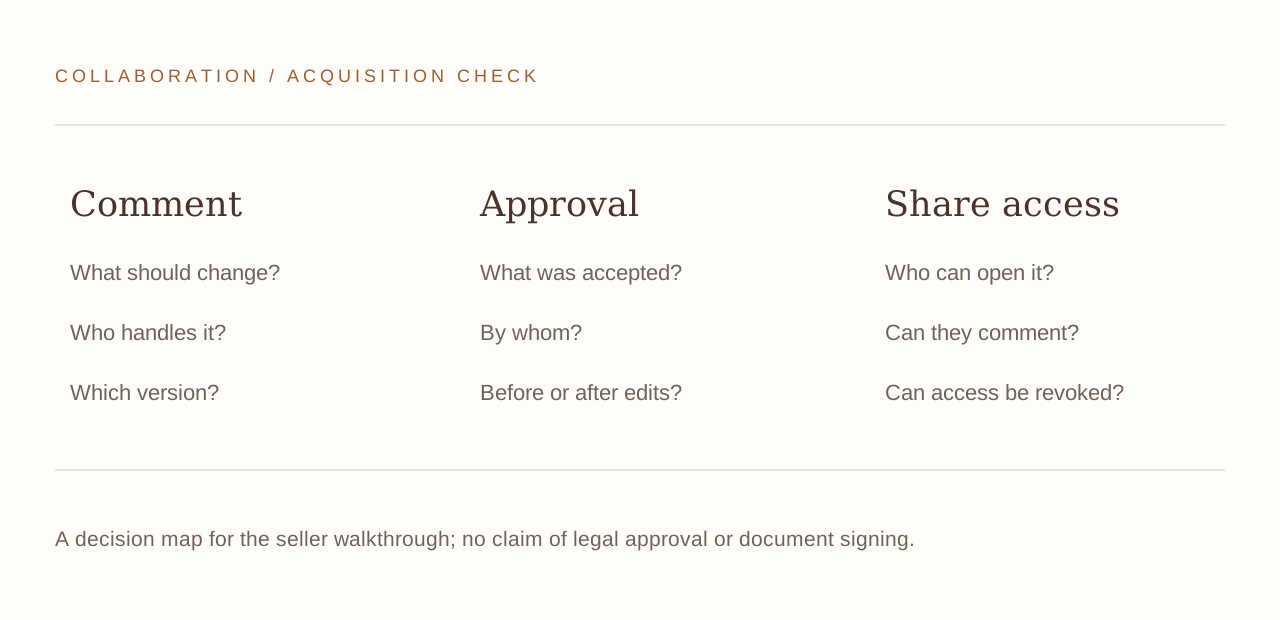
A team workflow becomes useful when two people disagree about what a slide should say. Ask one test user to comment on a claim and another to edit the relevant slide. Observe how the conversation relates to the content and whether the team can tell what has been resolved. The product's documented features include comments, assignments, approvals and version checks; inspect the relationship between them.
An approval should have an understood meaning in your customer offer. It may indicate that a particular version is ready for the next internal step. It is not automatically a legal signature, a verification of every fact or permission to publish confidential information. The buyer should choose wording and operating procedures that match the delivered controls.
Test what happens after an approved plan is edited. Can a reviewer recognise that the content changed? Does the team know whether another review is needed? If the answer depends on a manual process, write that process down. A small software product does not need an elaborate governance system to be useful, but the owner must be able to explain the boundaries of its collaboration tools.
A share link is an access setting, not a promise of confidentiality
MemoSlide's documented sharing features include view or comment links that can expire or be revoked. Bring a practical sharing case to the demonstration: one person outside the workspace needs to view a plan, while another needs to leave a comment. Ask which permissions each link provides and how the owner changes them.
Open a link in a separate browser context where the intended workspace user is not signed in. Then revoke it and try again. This makes the access boundary observable. If your customer needs stronger controls, such as an organisation-specific identity requirement, ask whether they exist and what work would be required. Do not infer them simply from a share icon.
Also decide what the user should avoid putting in a shareable plan. Software permissions and organisational behaviour work together. A product can control a link while a recipient can still describe or copy content they can view. The owner needs clear customer guidance, particularly if the product will be marketed to consultants or teams working with sensitive material.
Choose the first buyer group before setting a product offer
An individual planning a pitch has different needs from a team coordinating a recurring leadership update. The former may care about fast import and a clean editable export. The latter may care about stable workspaces, consistent narrative frameworks and review responsibilities. A buyer of MemoSlide should choose the first relationship they are prepared to support.
Which MemoSlide customer relationship would you operate?
This choice affects your launch work, not the product's past revenue. Request current financial information through the sale listing and keep it separate from your proposed customer offer. A source-code acquisition can provide a starting product without supplying a proven market for the way you plan to operate it.
Inspect the platform subscription behind the editor
The application source includes platform plan controls and Stripe Checkout and Billing foundations. These concern access to MemoSlide as software. They are not a marketplace payment system for selling presentations, paying designers or handling a customer's consulting invoices. Keep that distinction explicit when you assess the acquisition.
Ask the seller to demonstrate an account's plan and the relevant entitlement controls. Which features or limits change with a plan? What does the account see when access changes? What must be configured under buyer-owned payment services? A working editor and a pricing page do not independently establish that a complete live billing lifecycle has been exercised.
Use the transfer conversation to identify the remaining payment tests. The buyer should know who connects the new accounts, how plan mappings are recorded and how a support question about access will be investigated. No future subscription count or income estimate is needed to make those responsibilities clear.
Put the delivered files and service accounts on one transfer sheet
Ask what happens when the source memo changes after planning
A presentation plan is rarely the last version of the underlying thinking. A team may receive a corrected number, remove an unsupported claim or change the decision it wants from a meeting. Ask the seller how the current MemoSlide workflow handles that situation. Does the user edit the imported source, create another version, duplicate a plan or start again? The right purchase answer is the behaviour the product actually supports, together with a procedure your customers can follow.
Use the fictional memo from your walkthrough. Change one sentence that supports a slide headline, then ask the operator to explain which parts of the plan need attention. Do not assume that the software automatically updates or revalidates every derived slide. A deterministic planning application can still require deliberate human edits. What matters is whether a buyer can explain that work and whether the resulting plan remains understandable.
This is also a useful test for the service you intend to sell. A solo user may be comfortable reading the updated memo and correcting a few slides. A team may need a defined owner who checks a changed claim before the deck is shared again. A managed-service operator may include a specific number of revision rounds. Those are commercial and operating choices around the product; the acquisition does not settle them automatically.
Keep the corrected memo and the resulting exported plan with your acceptance file. A future colleague should be able to distinguish the original test from the revised one. You are buying a workflow that people can operate repeatedly, so seeing one controlled revision can be more informative than seeing a large gallery of unrelated finished examples.
Keep brand assets and customer content separate in the transfer
A coherent domain and public identity can make a starter product easier to understand. They are not the same asset as a customer's memo or slide content. Ask which public illustrations, example documents, logos and editable texts are included in the package, and which demonstration material should be replaced before launch. The transfer should identify those boundaries without implying that every document visible in an example belongs to the buyer.
If you intend to offer branded plans, inspect how a brand kit affects the output you will actually deliver. Confirm the buyer's rights to any required fonts or other supplied assets. A software source licence does not by itself establish permission to reuse every third-party content item. Keep the item list practical: what is delivered, what can be reused, and what the operator needs to supply.
These details help you price the first product offer honestly. They also give a developer or onboarding partner a concrete package to prepare. A buyer who can name the code, domain, documents, reusable content and required accounts is in a stronger position to agree the transaction than one relying on the phrase “everything included”.
The product is built with a React and TypeScript frontend, a backend service and authentication, with platform billing handled through the configured payment account. You do not need to become the original developer to buy it, but someone on the buyer side must be able to use the setup instructions and maintain the deployment.
Request the repository, domain transfer approach, product documents and required account inventory. Confirm what happens to demonstration content and which editable public content belongs in the package. If Codeblix provides handover assistance, agree its scope in the transaction. New features, ongoing customer support and marketing work should not be assumed from a general offer of setup help.
- Identify the domain and repository included in the sale.
- Name the buyer owner for hosting, authentication, backend and billing services.
- Import a fictional memo into a clean test workspace.
- Make an edit, share it with the intended permission and revoke the share.
- Export the plan and inspect it in the destination application.
- Record unanswered setup questions and assign the remaining transfer work.
Leave the negotiation with a deck you can open and a package you can name
A useful acceptance file for this purchase is small: the test memo, the edited plan, an exported deck and a transfer sheet. Add a note about the collaboration or plan behaviour that matters to your first customer group. Another operator should be able to read those artifacts and understand what the delivered product does.
If a requirement is missing, ask whether it is a configuration task, a documented manual procedure or new development. These categories have different costs and responsibilities. The sale is easier to evaluate when an attractive future idea is kept separate from the working foundation offered today.
MemoSlide package questions to settle
Request the current MemoSlide purchase package from Codeblix on Flippa. For other software acquisition opportunities, compare the SaaS businesses for sale collection. Choose the product you can operate and the customer relationship you are prepared to support.
Explore the products discussed
Explore related acquisition offers