
Codeblix Restaurant · POS software for Mauritius
From the first booking to the last bill.
Keep the floor, kitchen, stockroom and accounts working from the same restaurant POS system. Seat your guests, send the right courses, split the bill and see what each service used and earned.
Explore all 202 capabilities →Built around an on-site restaurant server, connected tills, waiter tablets and kitchen screens. Choose the hardware and setup that fit your service.
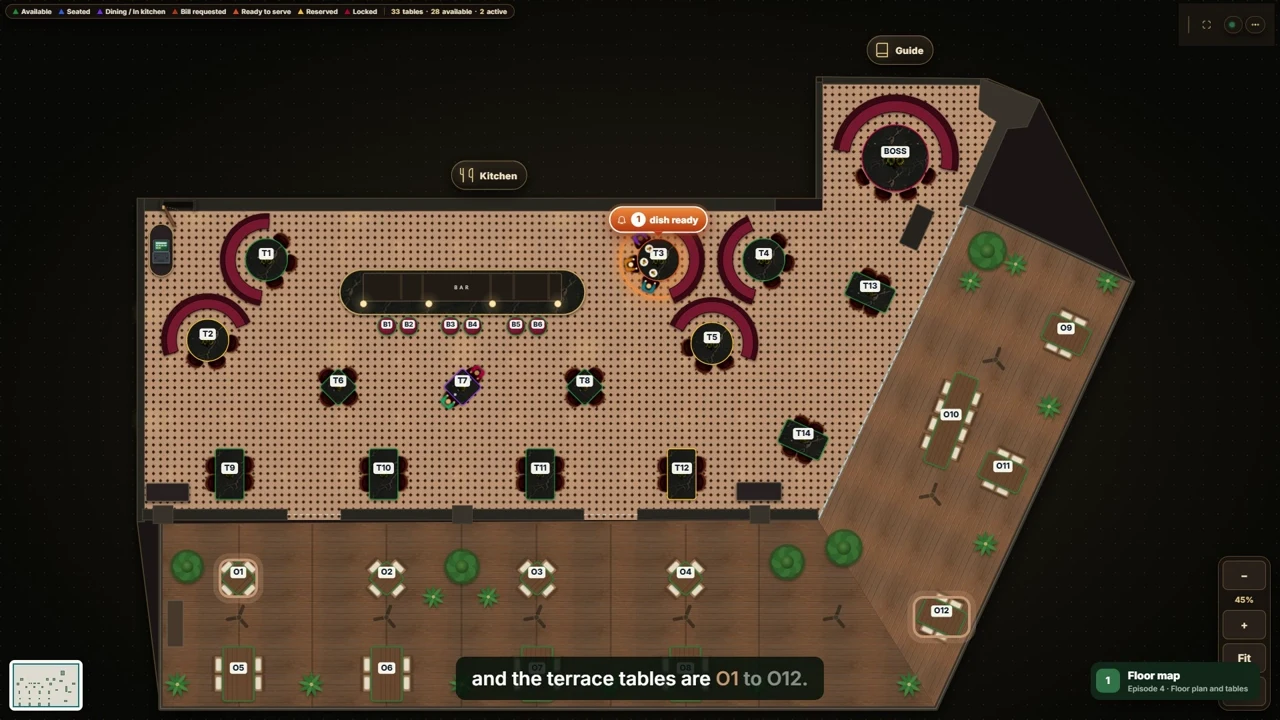 See your whole floor at a glance.Watch table management · 02:36
- Table management
- Waiter ordering
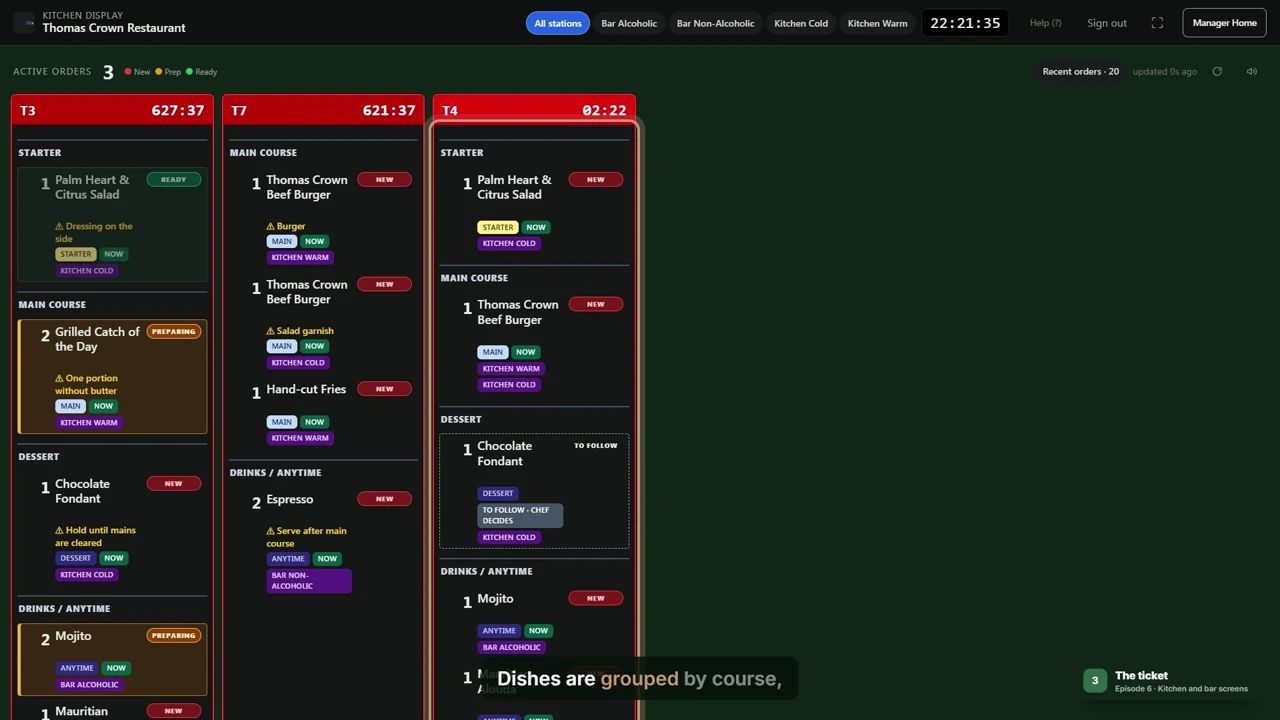
- Kitchen display system
- Recipe costing
- Restaurant accounting
One restaurant. A connected working day.
Every handover keeps its context.
- 01
Welcome the guests
Review bookings, allergies and party sizes. Seat a walk-in or move a party without losing its check.
- 02
Keep service moving
Take orders by course, send notes to the kitchen and bar, and serve dishes as they become ready.
- 03
Settle and reconcile
Split bills by item or amount. Record payments and tips, then close against the counted cash.
- 04
Understand the result
Follow purchases, stock, waste and recipe cost into sales reports and company accounts.
Restaurant table management software
The room changes. Your team stays in step.
See available tables, arriving guests and dishes waiting to be served. Join tables for a larger party, transfer a check and let each waiter work from the same floor plan.
- Reservations, guest notes, arrival and seating.
- Table positions, shapes, guest counts and assigned waiters.
- Menu choices, kitchen notes and now/to-follow courses.
- Ready-dish alerts that take staff straight to the table.
202 capabilities · 15 working areas
More than the moment of payment.
Explore the full restaurant management software catalogue. Each area links to its practical video tutorial.
Staff access and approvals
Give each role the access it needs, with individual sign-ins and a history of important actions.
Explore 14 capabilities · Episode 02Menu, modifiers and tax
Keep dishes, ingredients, choices and kitchen routing connected.
Explore 15 capabilities · Episode 03Reservations, deposits and events
Follow a booking from the first call to arrival, seating and event preparation.
Explore 14 capabilities · Episode 04Floor plan and table management
See the room, seat a party and keep its check attached as service changes.
Explore 12 capabilities · Episode 05Waiter ordering and courses
Send clear instructions to the right station and keep later changes visible.
Explore 13 capabilities · Episode 06Kitchen display system
Give kitchen and bar staff a shared view of tickets, timing and preparation.
Explore 15 capabilities · Episode 07Bills, payments and cash shifts
Follow the bill through separate payments, tips and the end-of-shift count.
Explore 15 capabilities · Episode 08Local server, devices and printing
Connect the restaurant’s tills, tablets, kitchen screens and printers around its local server.
Explore 13 capabilities · Episode 09Suppliers and receiving
Connect a purchase order to the delivery, supporting invoice and stock received.
Explore 12 capabilities · Episode 10Low stock, returns and supplier payments
Turn reorder levels into reviewed supplier requests and draft purchases.
Explore 15 capabilities · Episode 11Inventory, counts and waste
Keep quantity, cost, physical counts and loss records together.
Explore 13 capabilities · Episode 12Recipe costing and food cost control
Relate the menu price to ingredients, preparation yield and recorded stock use.
Explore 13 capabilities · Episode 13Sales reports and owner dashboards
Give managers and owners a consistent view of recorded service, stock and financial activity.
Explore 14 capabilities · Episode 14Accounting setup and expenses
Choose posting accounts, record costs and control the reporting period.
Explore 13 capabilities · Episode 15Journals and financial statements
Give the accountant balanced entries, traceable corrections and usable exports.
Explore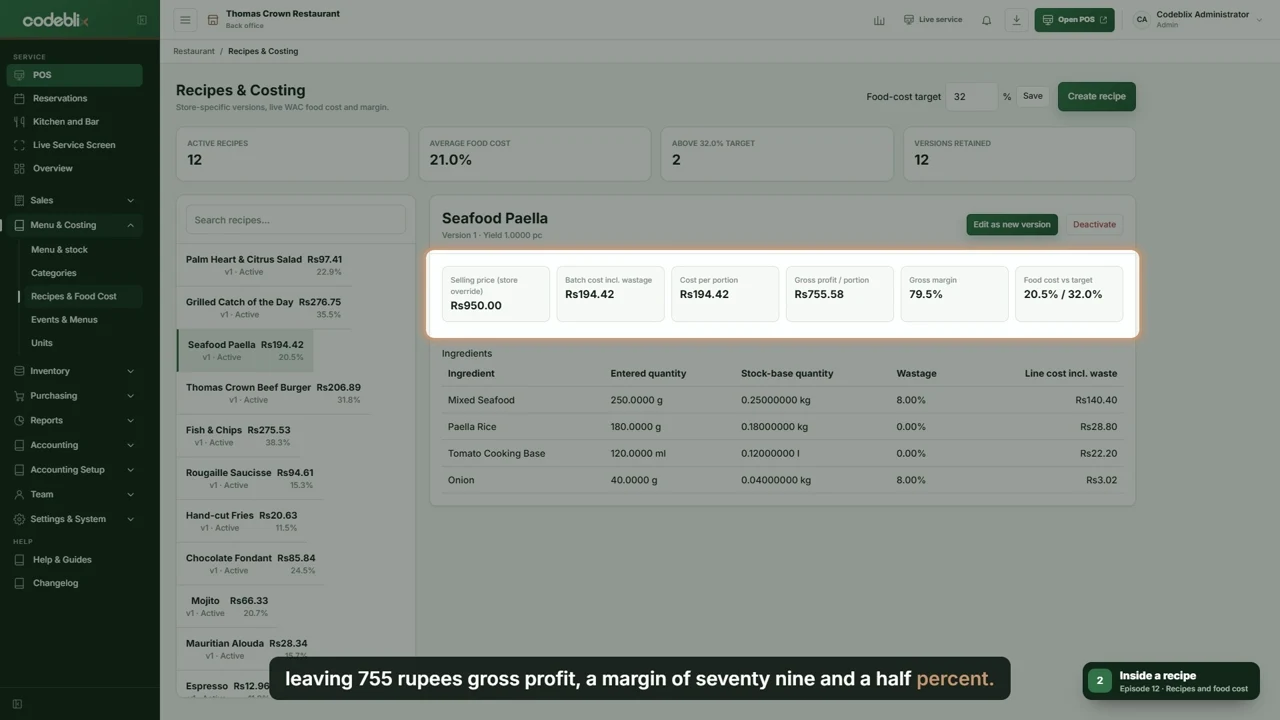
Restaurant inventory management & recipe costing
Know what went into the dish.
Receive deliveries against the supplier invoice. Review stock by store, count what is on the shelf and record waste with a second person’s approval. Then compare recipe use with actual stock movements.
- Partial receiving, supplier balances and purchase returns.
- Low-stock levels, quotation requests and draft reorder suggestions.
- Ingredient units, preparation yield and recipe versions.
- Cost per portion, food-cost targets and usage variance.
17 videos · about 37 minutes
A practical guide for every role.
Start with setup or jump to the work you do. The series includes a short introduction and 16 step-by-step tutorials, each with chapters and an English transcript.
Restaurant accounting software
Close the shift. Then follow the numbers.
Review sales, payment methods, discounts and cash variance. Follow the configured postings into the journal, profit and loss, balance sheet and general ledger. Give your accountant clear exports and reviewed account mappings.
Explore accounting and financial statements →Plan your restaurant setup
We will review your outlets, staff roles, floor layout, kitchen stations, printers and reporting needs.
The videos show manual card recording. Connected payment terminals, MRA EBS fiscalisation and external accounting connections have their own agreed setup. Staff devices use the local restaurant network; off-site services require internet access.
Talk through your requirements →