
Codeblix retail POS · Mauritius
A POS system for your shop’s whole day.
From the first stock delivery to the last cash count. Run barcode sales, inventory, purchasing and accounting in one retail workflow, across one shop or multiple branches.
Explore all 122 capabilities →Setup, data import, training and ongoing support scoped around your business.
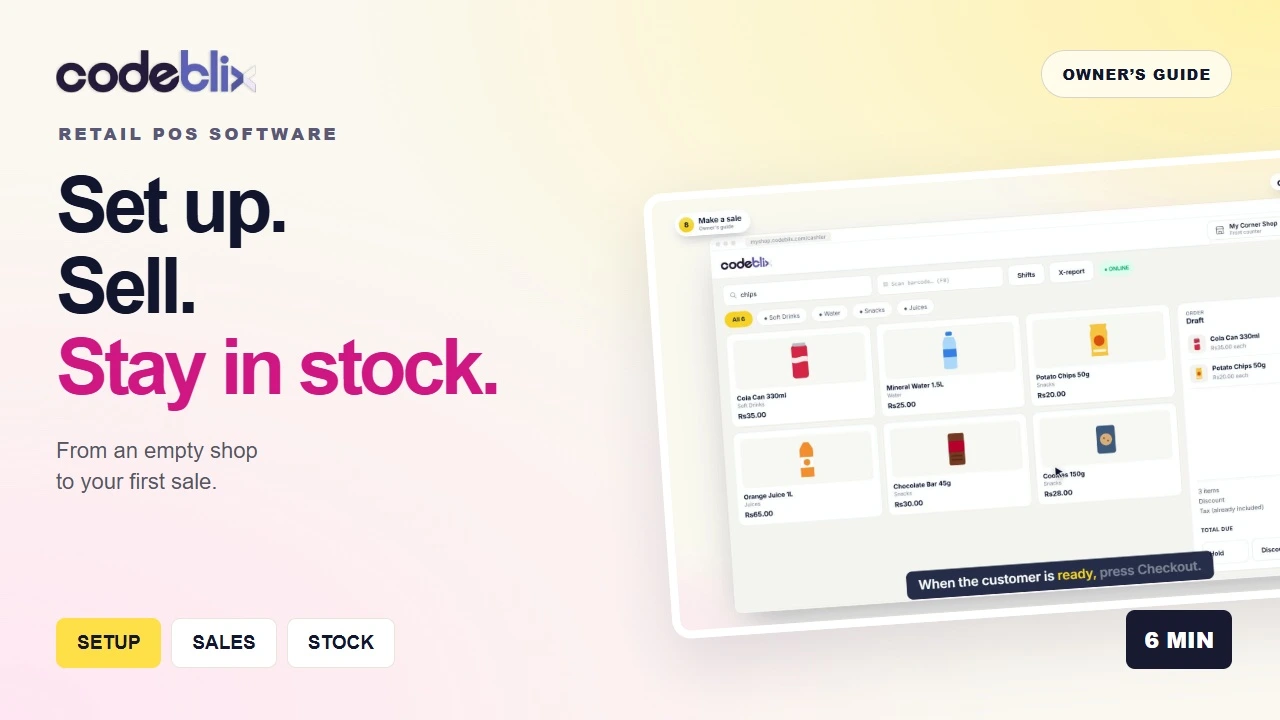 Start here: the owner’s guideSet up → receive stock → sell → review
One connected routine
Give every part of the shop a clear next step.
Prepare your shop
Set up your company, receipts, tax position, products, cashiers and tills.
Receive your stock
Record supplier purchases, receive the goods and put opening quantities on record.
Serve at the counter
Scan or search products, take the payment, print a receipt and keep the sale attributed to its cashier.
Close and review
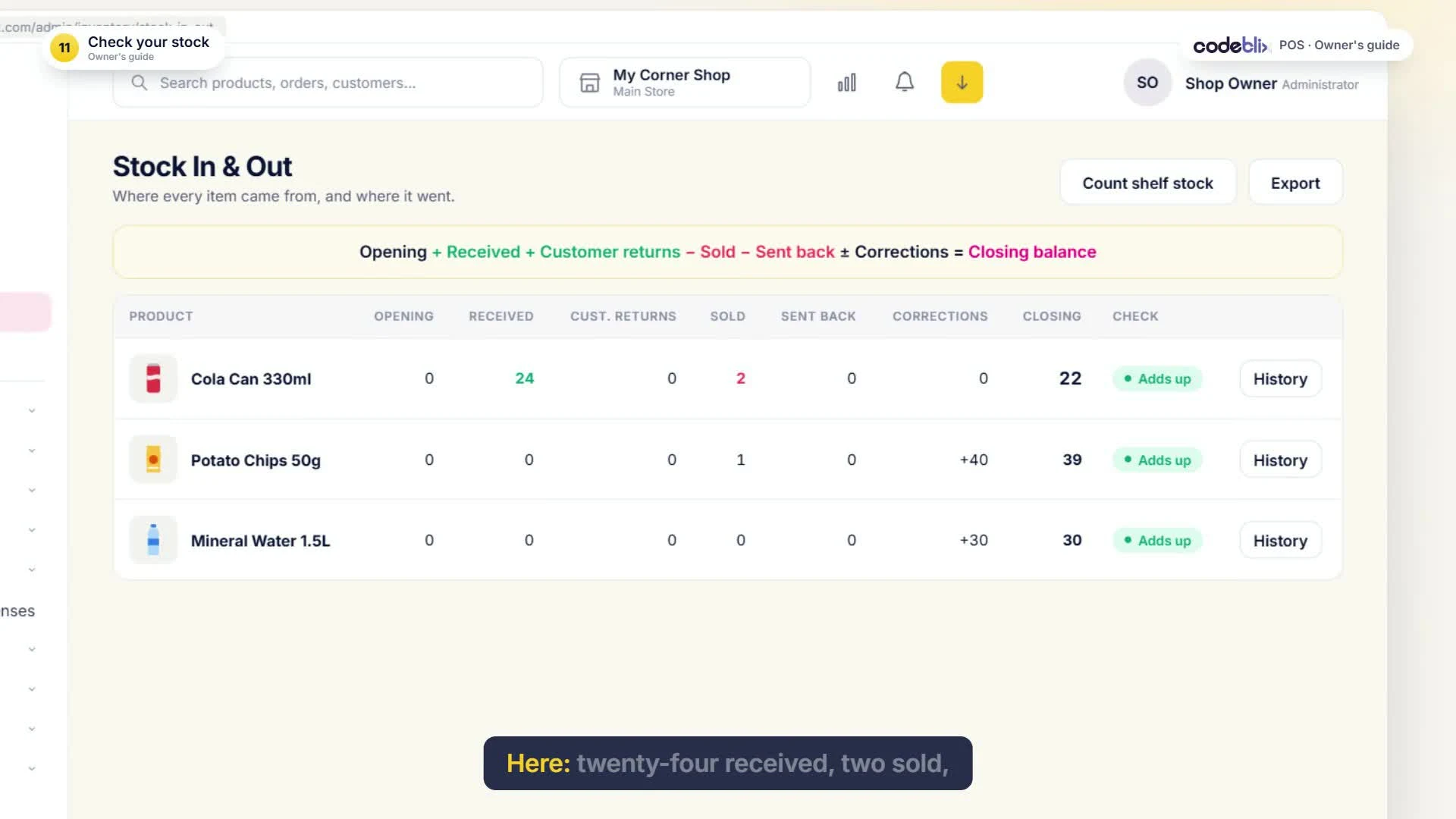
Count the drawer, close the shift, check the stock movements and review the day’s reports.
Multi-store POS
See each branch. Keep the whole business in view.
Authorised managers can review individual outlets or consolidated information. Staff work within their assigned stores and roles, while each branch keeps its own stock and tills.
- Multiple outlets and checkout terminals.
- Store-specific stock visibility and selling-price overrides.
- Transfers with draft, dispatch and receipt stages.
- Outlet filters and consolidated views in supported reports.
122 capabilities, organised for your team
More than a checkout screen.
Explore the full feature catalogue, including the retail, accounting and implementation requirements businesses ask us about.
Multiple branches, stores and tills
Bring your outlets together while keeping stock, staff access and reporting clear for each branch.
Explore →02 / 12 capabilitiesPOS checkout and sales management
Serve customers at the counter, keep payments clear and handle exceptions with the right controls.
Explore →03 / 12 capabilitiesProducts, barcodes and pricing
Build the catalogue your cashiers use, with the product structure and pricing your shop needs.
Explore →04 / 10 capabilitiesInventory management and stock control
Follow what arrived, what sold and what remains, with documents behind the quantities.
Explore →05 / 8 capabilitiesPurchasing, suppliers and expenses
Connect the supplier bill, the goods you receive and the payments you make.
Explore →06 / 8 capabilitiesCash shifts and cashier controls
Know the opening float, the expected cash and the amount counted at the end of the shift.
Explore →07 / 10 capabilitiesCustomers, quotations and loyalty
Keep customer records and follow-up documents connected to the sale.
Explore →08 / 15 capabilitiesPOS reporting and management information
Move from individual transactions to the totals your managers need.
Explore →09 / 10 capabilitiesRetail accounting and financial reports
Keep accounting records and financial summaries alongside your retail operations.
Explore →10 / 9 capabilitiesMauritius VAT and MRA e-invoicing setup
Configure the company’s tax position, prepare VAT review records and arrange the Codeblix EBS connection.
Explore →11 / 8 capabilitiesOnline sales, payments and customer messaging
Connect the channels and services agreed for your shop’s setup.
Explore →12 / 12 capabilitiesCloud access, offline sales, hardware and support
Prepare the data, people and counter equipment that make the system useful day to day.
Explore →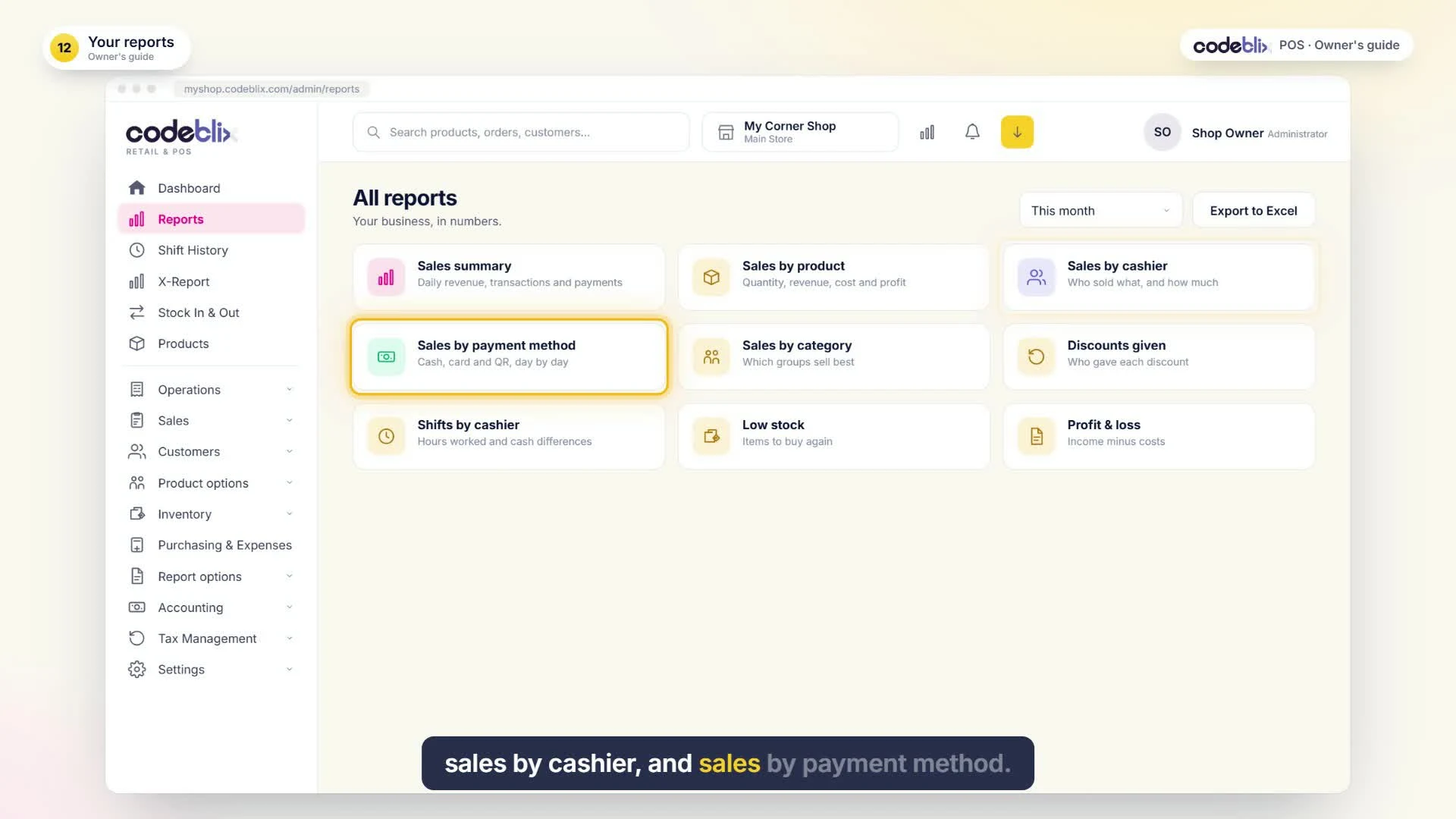
POS reporting and accounting
Understand what sold, what is owed and what the shop earned.
Review sales, product margins, cashier activity, stock valuation and customer balances. The accounting tools include a chart of accounts, journals, profit and loss, balance sheet, trial balance, general ledger and cash-flow reports.
Save supported report views, schedule authorised delivery and export to Excel or PDF where the report offers that format.
See accounting and reporting features →Owner and cashier training
Follow your first sale, step by step.
The six-minute owner’s guide follows “My Corner Shop”, a sample business. Use the chapters to jump to a task, or read the full written transcript.
Watch the owner’s guideOffline sales, with a clear sync path.
Eligible ordinary cashier sales can continue with the previously synchronised catalogue. On reconnection, queued sales sync and the central stock and reports update. Refunds and services that require online authorisation need an internet connection.
MRA onboarding and the EBS connection.
Codeblix provides the agreed e-invoicing integration through Codeblix EBS. Your company completes the required MRA onboarding, configuration and testing before live fiscalisation is activated. The VAT Centre supports working-paper review; actual tax filing and payment remain external actions.
Read about the EBS connection →Hardware and rollout support.
We help plan your terminals, barcode scanners, receipt printers, cash drawers, customer displays and backup power. Hardware comes from your chosen supplier, with compatibility checked for your setup. Agree data imports, staff training, hosting, backups and support in your quote.
Before you choose your setup
Plan the POS around your shop.
Tell us how many outlets, tills and users you need, what you sell and which equipment you already have. We confirm the software, implementation, hardware requirements and ongoing service separately in your quotation.
Book a POS demonstrationCan I use more than one branch?
Yes. The system supports multiple outlets, tills, branch stock and store-based staff access. Authorised managers can review individual outlets and consolidated information in supported reports.
Does the video show every feature?
The owner’s guide teaches the first setup, purchase, sale, shift and reporting routine. The full feature catalogue covers the wider system, including multi-outlet management, accounting, integrations and support.
Do you supply the hardware?
Codeblix advises on the setup and compatibility. You purchase hardware directly from your chosen supplier. Any bank card-terminal connection depends on the bank and equipment selected.
Can you support a business in Rodrigues?
Yes. We can agree remote implementation, data preparation, training and support. Any on-site visit, travel and accommodation are quoted and agreed separately.
Logiciel de caisse à Maurice
Vous cherchez une caisse enregistreuse pour votre magasin ? Découvrez le fonctionnement de Codeblix : articles, entrées de stock, ventes, plusieurs points de vente et rapports quotidiens. La démonstration utilise un magasin fictif et une narration en anglais. Contactez-nous pour préparer votre configuration.