
Codeblix Restaurant · the complete training series
Learn your part.
See the whole restaurant.
17 short videos, organised around the work. Follow the series in order or choose your role’s next task. Every lesson has a dedicated watch page, chapter links and an English transcript.
16 practical tutorials + a 7-second introduction · about 37 minutes total
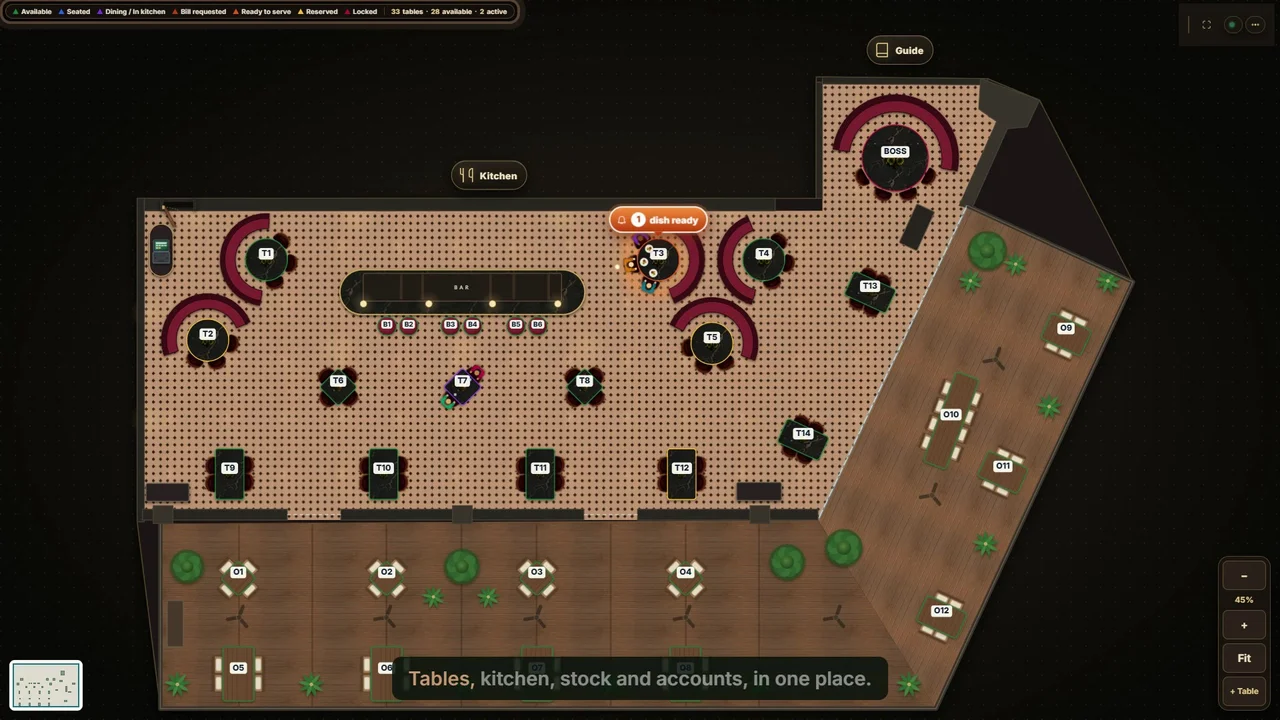 Meet Codeblix Restaurant.Episode 00 · 7-second series introduction
16 tutorials
Learning path 01
Set up your restaurant
People, menu, reservations and the devices behind service.
 01:50
01:50Episode 01
Staff roles and permissions
Set up staff accounts, choose roles and permissions, deactivate users and review second-person approvals and the activity history.
Watch with chapters → 02:30
02:30Episode 02
Menu, modifiers and tax
Build menu categories and dishes, add required order choices, set allergens and availability, and route items to kitchen and bar stations.
Watch with chapters → 02:01
02:01Episode 03
Reservations and events
Take bookings, track arrivals and no-shows, seat guests, manage group deposit rules and approve event menus.
Watch with chapters → 02:15
02:15Episode 08
Hardware and printing
Understand the restaurant's local server, register terminals, configure station printers and review print queues, connection status and backups.
Watch with chapters →Learning path 02
Run the floor and kitchen
Seat guests, send courses, serve dishes and settle the check.
 02:36
02:36Episode 04
Floor plan and tables
Arrange the restaurant floor, seat walk-ins, join tables, transfer guests and follow table and dish status during service.
Watch with chapters → 01:53
01:53Episode 05
Waiter ordering and courses
Take table orders, choose courses and timing, add kitchen notes, update sent dishes and serve food before requesting the bill.
Watch with chapters → 01:52
01:52Episode 06
Kitchen and bar screens
Follow orders from the waiter to station screens, filter kitchen and bar tickets, start preparation and mark dishes ready for service.
Watch with chapters → 02:27
02:27Episode 07
Bills, payments and shifts
Open a cashier shift, request and split the bill, record cash or manual card payments, add tips and close the drawer with X and Z reports.
Watch with chapters →Learning path 03
Control stock and food cost
Receive supplies, reorder, count stock and cost each recipe.
 02:41
02:41Episode 09
Purchasing and receiving
Create suppliers and purchase orders, attach delivery invoices, receive goods in full or in part, and follow stock and supplier balances.
Watch with chapters → 02:18
02:18Episode 10
Low stock and reordering
Set reorder levels, prepare supplier quotation requests, compare recorded supplier prices, create draft purchase orders and record returns.
Watch with chapters → 02:28
02:28Episode 11
Stock counts and waste
Review stock quantities and costs, use purchasing and recipe units, post stock counts and approve waste with a complete movement history.
Watch with chapters → 02:47
02:47Episode 12
Recipes and food cost
Build recipes from ingredient quantities, review cost and margin, keep recipe versions and compare theoretical use with actual stock movement.
Watch with chapters →Learning path 04
Review and close the day
Sales reports, accounting, statements and the daily routine.
 02:03
02:03Episode 13
Sales and owner reports
Check live sales and owner dashboards, review dish performance, export management reports and follow notifications and user activity.
Watch with chapters → 02:54
02:54Episode 14
Accounting setup and expenses
Review the chart of accounts and automatic journal postings, record expenses, configure business mappings and manage opening balances and fiscal periods.
Watch with chapters → 02:37
02:37Episode 15
Journals and financial statements
Post balanced journals, reverse entries, read financial statements, export reports and prepare account mappings for the accountant.
Watch with chapters → 01:36
01:36Episode 16
The daily restaurant routine
Follow the restaurant's daily opening, service and closing routine, plus weekly inventory checks and monthly financial review.
Watch with chapters →Put the training into practice.
Explore the full capability catalogue or talk with Codeblix about the setup for your restaurant.