
Codeblix Warehouse · Mauritius
From the customer call to the last delivery.
Warehouse management software for the work between your sales desk, stockroom, drivers and accounts team. Follow products, prices, orders, purchasing, batch stock, deliveries and cash-in across separate company workspaces.
Browse all 180 reference entries →The animated guide shows the intended interface with fictional records. Explore 172 source-documented app workflows and eight labelled illustrated or optional additions. Your enabled modules and company configuration form part of the agreed setup.
 Start here: the complete warehouse guideCustomers → orders → stock → delivery → cash-in → reports
- Inventory management software
- Batch tracking software
- Purchase order software
- Delivery management software
- Company accounting
Wholesale distribution software
One order. A clear trail through the business.
- 01
Start with the customer
Review call ownership, follow-ups, customer prices and the sales order.
- 02
Prepare the right stock
Follow purchasing, receipts, batch labels, expiry and linked company supply.
- 03
Plan and record delivery
Prepare routes, crews and loading documents, then capture delivery results and returns.
- 04
Review cash and reports
Reconcile cash handovers and follow source documents into company reporting and accounting.
Stock management software
Know which batch moved, and why.
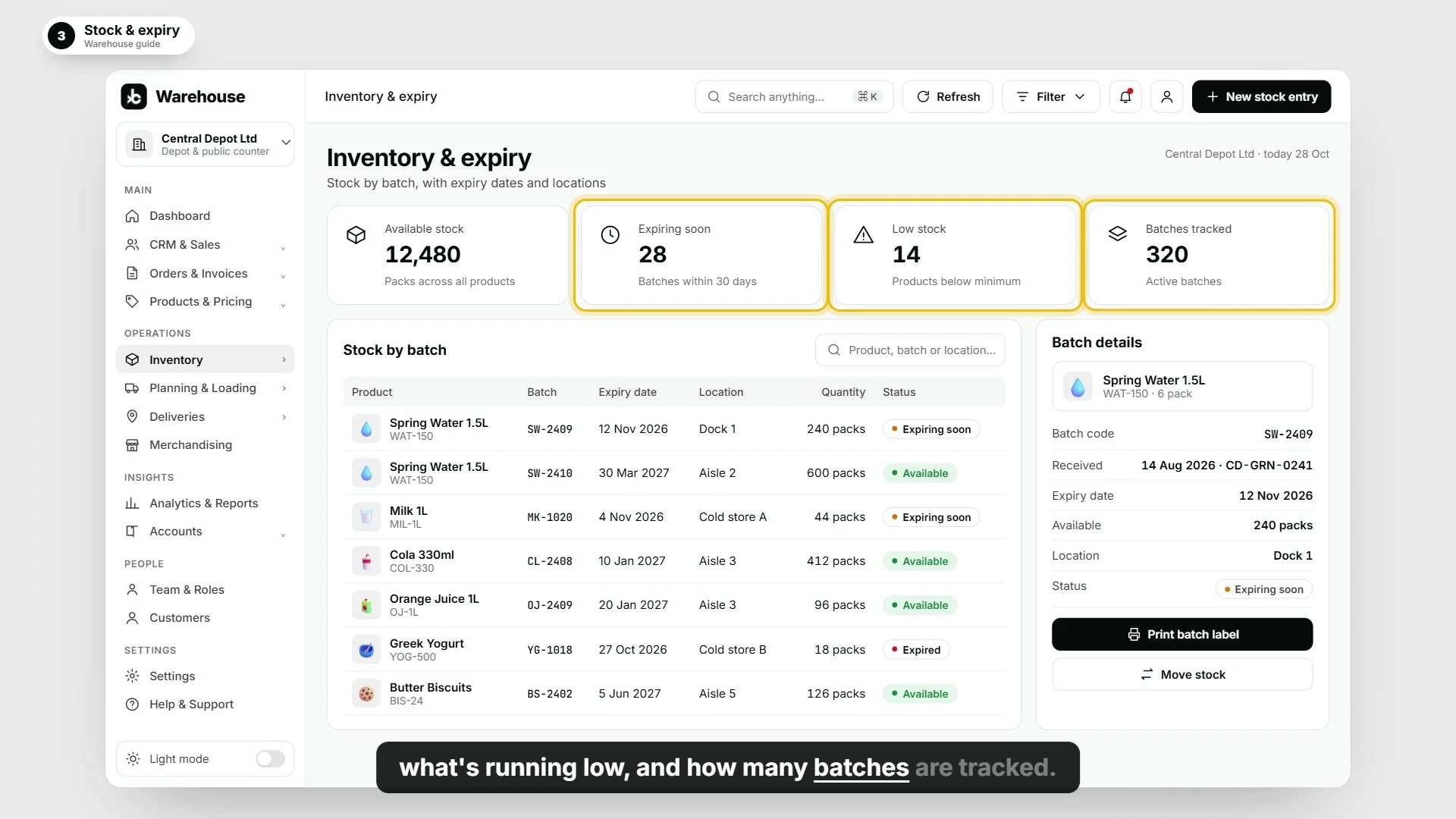
A product total is only part of the stock picture. Explore the batch, bin, receipt, movement and expiry records behind warehouse inventory management.
- Barcode inventory system with product lookup and batch labels.
- Stock receipts, opening stock and reviewed adjustments.
- Location moves, bin relocation and transfer batches.
- Expiry review and stock disposition workflows.
180 reference entries · 16 areas
Explore the work around your warehouse.
Browse 172 source-documented app workflows. The final group separately identifies eight illustrated or optional additions, including draft consolidation for accountant review.
Company workspaces, access and settings
Keep operational records in the relevant company workspace, with access matched to responsibilities.
Explore App workflow reference · 12Customer records, follow-ups and representative work
Keep contacts, call activity, areas and handovers with the customer record.
Explore App workflow reference · 14Products, barcodes, catalogues and trade prices
Maintain the product and pricing information used by sales and stock operations.
Explore App workflow reference · 12Sales orders, review and invoice handover
Move customer requirements into a traceable order and the authorised invoicing workflow.
Explore App workflow reference · 12Linked supply and intercompany review
Keep the two companies and the linked supply trail distinct.
Explore App workflow reference · 14Purchasing, receipts and supplier matching
Trace incoming stock from its purchasing source through receipt and review.
Explore App workflow reference · 14Batch stock, expiry, locations and movements
Find stock by its product, batch and location, with a movement trail behind changes.
Explore App workflow reference · 10Depot counter sales and customer returns
Keep the counter transaction, payment, receipt and return trail with its company.
Explore App workflow reference · 14Dispatch planning, loading and route documents
Prepare the work, resource assignments and documents before dispatch.
Explore App workflow reference · 10Delivery outcomes, proof and returned goods
Record the result of the delivery and keep the evidence associated with the stop.
Explore App workflow reference · 8Cash-in, handovers and receipt review
Keep counted cash and handover decisions connected to the route that produced them.
Explore App workflow reference · 10Merchandising visits, checklists and photo evidence
Keep the visit plan, checklist and evidence with the person doing the work.
Explore App workflow reference · 12Operational reporting, exports and saved views
Answer stock, purchasing, dispatch and trading questions from company-scoped report sources.
Explore App workflow reference · 8Accounting handover and source traceability
Keep company books and accounting review connected to operational source records.
Explore App workflow reference · 12Company accounts, journals and financial reports
Review the accounting configuration and the financial records connected to operations.
Explore Illustrated / additional scope · 8Illustrated group views and additional module scope
These guide scenarios and extra modules require their own implementation scope. They are not included as delivered warehouse capabilities.
Explore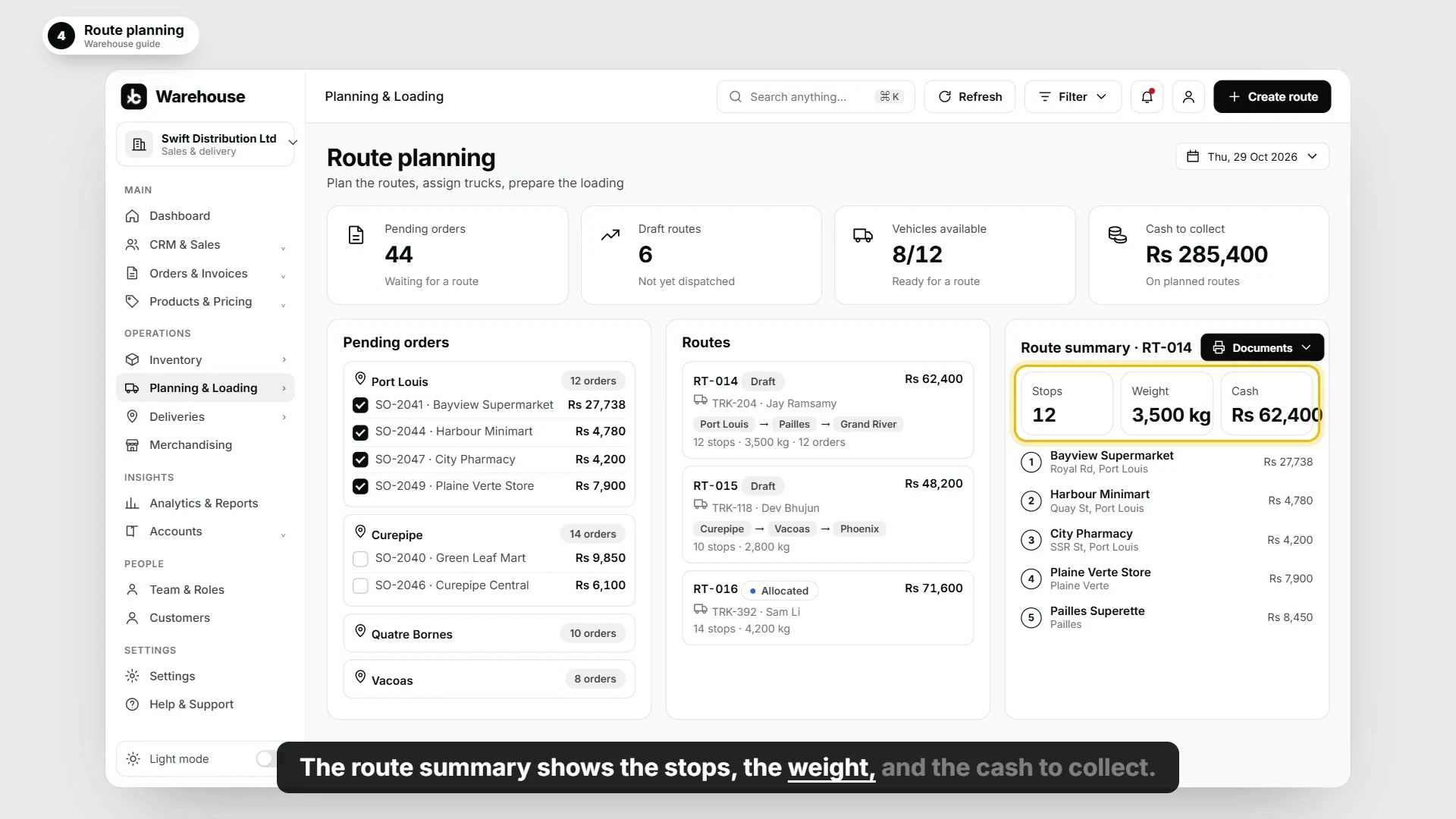
Route planning software
Give the warehouse and driver the same plan.
Explore planning queues, vehicle resources, crew assignment, ordered stops, picking suggestions and route documents. Review loading before dispatch, then follow each delivery result.
- Assign the crew and manage stops in delivery order.
- Record delivery outcomes, returned goods and proof of delivery.
- Review exceptions and retain the source history.
- Prepare cash counts and offer or accept cash handovers.
9 minutes, 52 seconds · 22 chapters
See the whole warehouse cycle.
Follow fictional import, depot, distribution and retail companies. Jump to inventory, purchasing, delivery, merchandising visits or accounting, and read the complete English transcript.
Multi company accounting software
Separate company books. Traceable source records.
Explore linked supply between depot and distributor companies without losing the company context. Follow transfer references, receiving decisions, returns, commercial differences and reconciliation.
The accounting reference covers charts of accounts, posting previews, invoice posting, journals, reversals, ledgers, trial balances and financial exports. Group consolidation in the film is a draft illustration for accountant review.
Explore accounting workflows →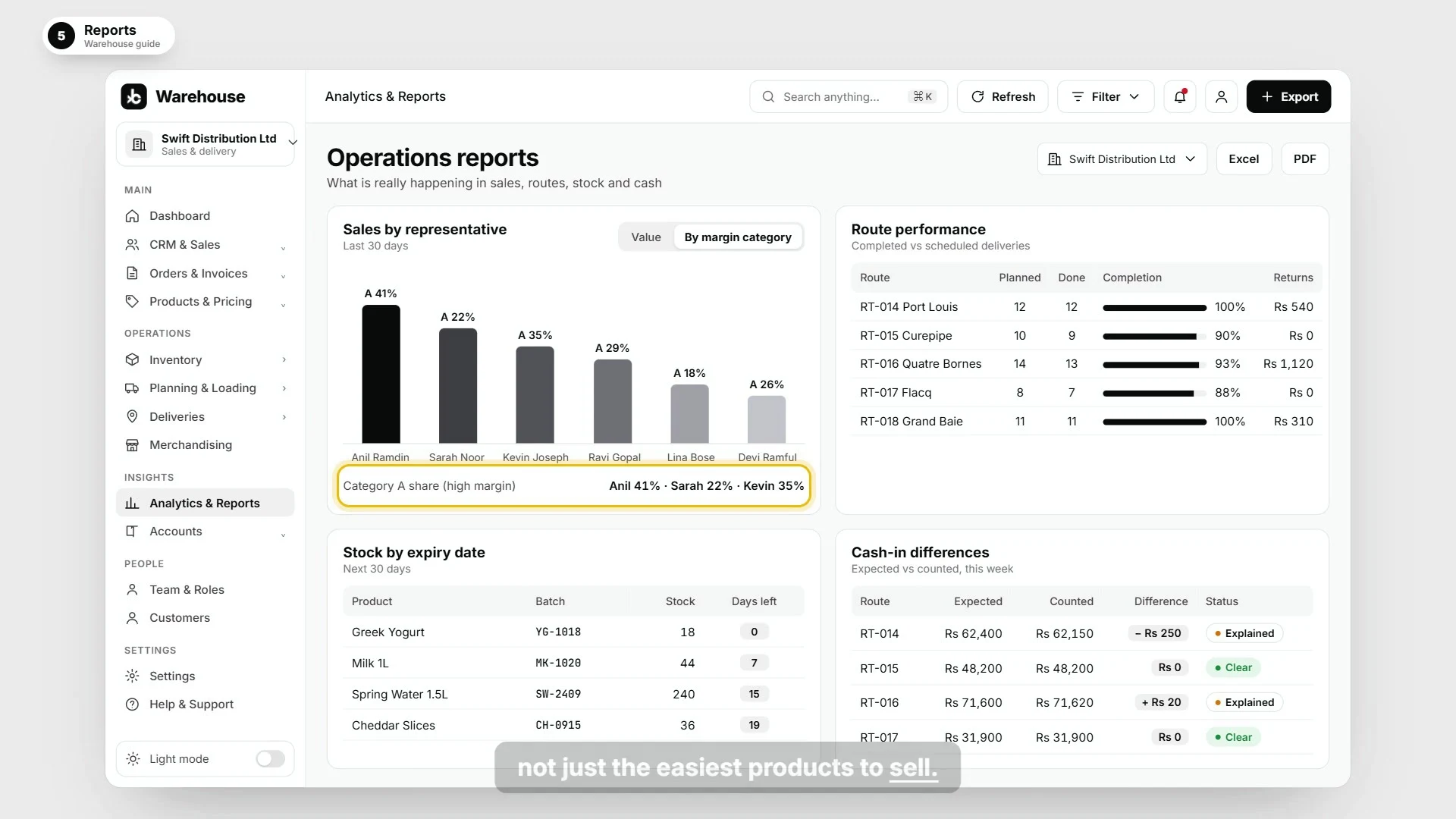
Plan your warehouse setup
Bring your order-to-delivery workflow.
Tell us about your companies, locations, products, batches, sales team, purchasing, routes and accounting requirements. We will agree the enabled modules, permissions and integrations for your operation.
Book a warehouse demonstrationWhat does the warehouse management system cover?
Company workspaces, CRM, product pricing, catalogues, sales orders, linked supply, procurement, stock, counter sales, dispatch, delivery evidence, cash handovers, store visits, reports and accounting. The catalogue gives each documented workflow its own description.
Can different companies and locations work separately?
The app workflows use company-scoped records, authorised access and location context. Linked supply retains transfer and receiving references. Agree your company structure, user permissions and ownership rules during setup.
Does it cover proof of delivery software workflows?
The reference includes delivery results, returned goods, stop evidence, proof downloads, outcome review and exceptions. Device access and any external delivery integration form part of your implementation scope.
Which additions are illustrated or optional?
The cargo-slot layout is illustrated. Group consolidation is a draft for accountant review. Fixed assets, cash flow, budgets, compliance, team chat and tasks are additional module scopes, separately labelled in the reference.
How should I use the guide and capability reference?
The video explains the intended interface with fictional records. The wider reference documents app workflows from source and labels illustrated additions separately. Use both to discuss the company configuration, enabled functionality and integrations included in your setup.