
Yard management software: plan gate-to-dock control
Yard management software (YMS) coordinates gate arrivals, trailer locations, dock movements and departures between transport and warehouse operations. This Codeblix custom-development blueprint helps warehouse, distribution and 3PL teams compare systems and define a build around their own yard records, permissions and exceptions.
Choose a system around the handoffs that fail today.
Start with the yard manager, gate clerk, spotter and dock supervisor. Test who knows where each trailer is, which move is still pending and who can authorize its release.
Separate a planned move from a confirmed position
A dispatch instruction is not proof that a trailer has moved. Require a named confirmation, timestamp and source before changing the confirmed location; show an overdue task separately.
Connect gate visits to the right trailer and load
Compare the carrier reference, trailer ID, visit ID and load reference before admission. Keep an unexpected arrival or duplicate visit in an exception queue rather than inventing a match.
Make a quote comparable with a vendor demo
Use the same yard layout, roles and exception cases for an existing YMS and a proposed build. Compare operating fit, evidence, total ownership costs and ongoing support.
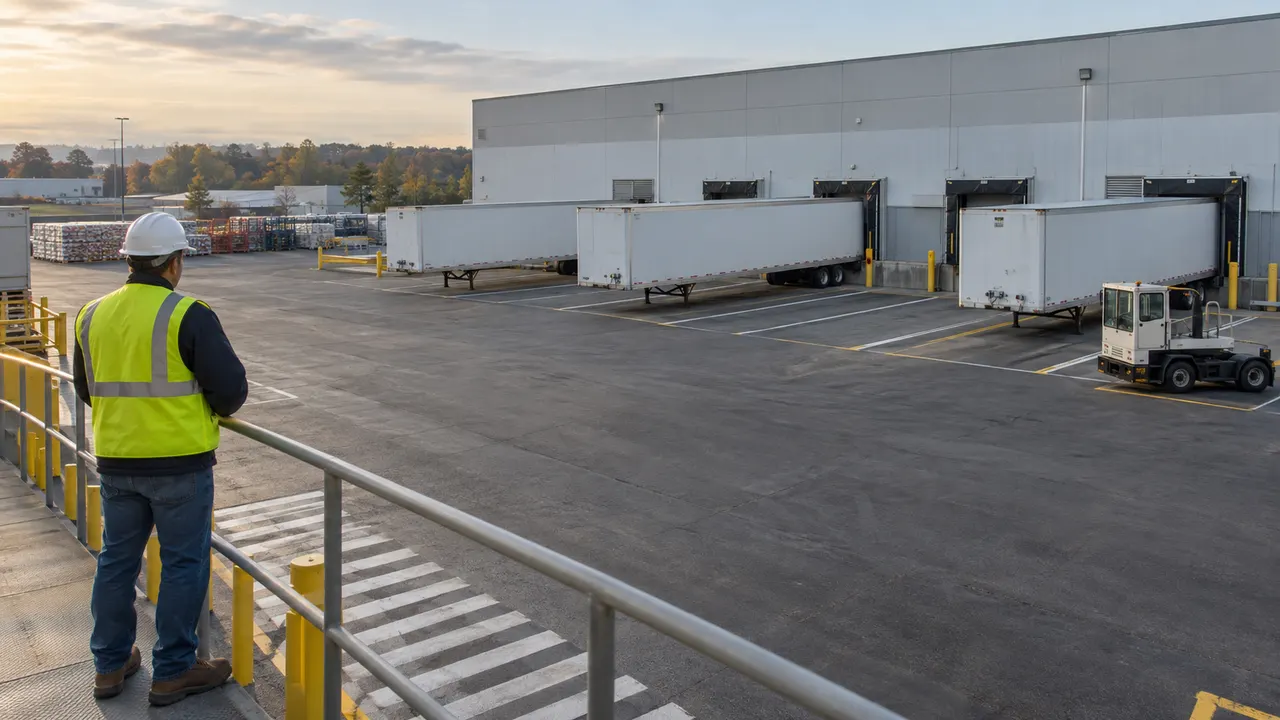
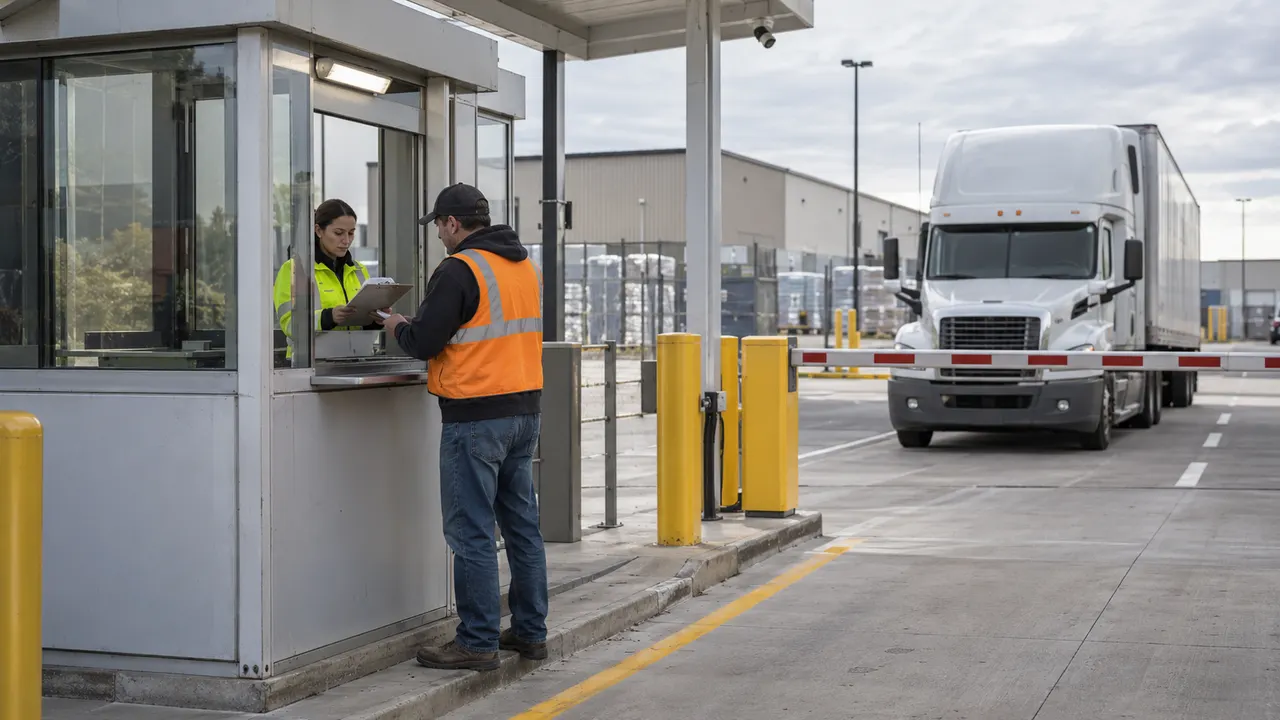
The physical handoffs your software brief must cover.
Original AI-generated illustrations show gate intake and shift handoff. They explain the operating context; the proposed system is described through records and acceptance checks below.

When a yard board is enough
A shared board or spreadsheet can suit a small yard with one coordinator and few overlapping moves. Measure reconciliation effort, stale positions and duplicate instructions before choosing a system. A new dashboard alone will not fix inconsistent trailer identifiers.
When to evaluate a packaged YMS
Shortlist existing products when standard gate, dock and trailer processes cover most of the work, particularly if you need established hardware, carrier portals or multiple-site operation. Ask vendors to demonstrate your own exception cases and identify which modules and equipment are licensed separately.
When to discuss a custom build with Codeblix
Request a feasibility consultation when unusual approval rules, a constrained pilot or a specific record handoff makes a standard product difficult to fit. Bring an anonymized visit export, yard map and role matrix. Discovery must confirm the implementation, estimate and responsible owners before a delivery commitment.
What belongs outside this yard brief
Warehouse stock allocation, transport route planning, terminal container stacking, rail switching and certified weighing require their own specifications. A load reference links the yard visit to those systems; it does not make this blueprint a WMS, TMS, terminal operating system or weighing product.
Specify the appointment before assigning a yard move
For carrier bookings, door availability and capacity conflicts, use the dock scheduling requirements brief. It covers the reservation policy that precedes the physical gate-to-dock handoff.
Review dock scheduling appointments and capacityFrom first arrival to an auditable gate release
Proposed acceptance workflow for a warehouse trailer yard. Adapt it to your site operating procedures during discovery; software approval does not replace a physical safety check.
Validate the gate visit
The gate clerk checks the carrier/load reference, trailer identifier and expected arrival. Create one visit ID, record the arrival time and route unmatched or duplicate arrivals to a supervisor.
Confirm a parking location
The yard coordinator selects an available named bay. Record the observed trailer position and its confirmation source. Reject a closed or occupied bay; keep the last confirmed location visible.
Assign a dock move
The dispatcher creates a movement task from the confirmed bay to a suitable dock, names the spotter and sets priority. The spotter accepts or flags an obstruction; acceptance alone does not complete the move.
Confirm arrival at the dock
The spotter confirms destination and time after the physical move. The dock supervisor acknowledges the handoff and records the loading/unloading state. Block conflicting tasks for the same trailer.
Reconcile exceptions and release
A supervisor resolves damaged seals, incomplete work or changed load references with a reason and history. An authorized release becomes eligible for gate checkout only after the agreed site checks are complete.
Close the visit and hand over the shift
The gate clerk records actual departure. Export the visit and movement history, reconcile open trailers against the physical yard, and pass overdue tasks and unconfirmed positions to the next shift.
Proposed roles and exception controls
- Gate clerk: create and close visits; no silent change to a completed departure or load-release approval.
- Dispatcher: assign and cancel movement tasks; require a reason for priority changes and keep canceled tasks in history.
- Spotter: accept a task and confirm a physical move; report an occupied destination or lost connectivity without overwriting a newer confirmation.
- Dock supervisor: acknowledge arrival and work completion; separate load completion from permission to leave.
- Yard manager: resolve duplicate IDs, unconfirmed locations and release holds with recorded reasons; administrator access must not erase operating history.
Migration, integrations and deployment scope
- Migration: agree identifiers and location codes, validate one sample export, reconcile open visits against the physical yard and define cutover/rollback ownership.
- WMS/TMS/ERP handoffs: review the actual API or file format, authentication, licensing, source of truth, retry behavior and update direction before quoting an adapter. No specific connector is promised here.
- Cameras, RFID, GPS, scales and gate barriers: hardware, installation, safety controls and vendor interfaces are separate feasibility items; this blueprint does not include a tested device integration.
- Deployment: agree hosting, data retention, connectivity, backups, restoration checks and access administration. An offline queue or automated location feed needs its own acceptance criteria.
- Support: quote training, incident ownership, maintenance and any service hours explicitly. Pricing and timelines depend on the approved scope; no fixed price or service guarantee is advertised.
A concrete yard record model to take into your demo
These are proposed records and controls, not shipped Codeblix features. Keep appointments, physical visits, trailers and movement tasks separate so an instruction cannot masquerade as an observation.
| Record | Example inputs | Required output and control |
|---|---|---|
| Gate visit | VIS-001 · trailer TR-001 · carrier/load references · expected and actual arrival · departure | One active visit per admitted trailer; link every event to the visit. Keep unmatched arrivals pending review. |
| Yard location | BAY-A03 or DOCK-02 · location type · availability · permitted equipment | Show confirmed occupancy separately from a reservation. Reject assignments to blocked locations. |
| Movement task | MOV-001 · VIS-001 · from BAY-A03 · to DOCK-02 · assigned role · status | Assigned → accepted → confirmed, or canceled with reason. Require a destination confirmation before updating trailer position. |
| Event and release | Event ID · visit/task · occurrence and recorded times · source · actor role · hold reason | Preserve ordered history, including late updates and overrides. Release authorization and actual gate departure remain distinct. |
Worked example: TR-001 is confirmed in BAY-A03 at 09:10. MOV-001 is assigned for DOCK-02 at 09:15 and accepted at 09:17. Until destination confirmation at 09:24, the confirmed position stays BAY-A03 and the move remains open. A second instruction must not create a second active move. If a delayed 09:12 update arrives later, retain it in history and review its ordering instead of silently overwriting DOCK-02.
Compare established products against the same yard brief
These summaries describe the reviewed providers’ published focus. The questions are buyer checks, not claims that a competing product lacks a capability or that Codeblix has delivered equivalent software.
| Option | Published focus | Ask in your demo |
|---|---|---|
| Blue Yonder Yard Management | Its product page emphasizes camera-based gate automation, yard mapping and carrier visibility. | Which hardware and modules would your site need, and how is an unconfirmed or stale location resolved? |
| Trimble Dock & Yard | Its solution page presents time-slot scheduling, yard management and arrival/departure workflows. | Is your main bottleneck appointment capacity or physical trailer control? Demonstrate how a rescheduled slot affects an active visit. |
| Kaleris Yard Management | Its YMS page describes gate, asset, dock and exception management, with location-tracking options. | Which configuration and tracking tier fits your volume? Demonstrate a duplicate arrival, blocked destination and canceled move. |
Compare license/subscription costs, equipment, integrations, migration, training and support alongside fit. Ask for a site-specific quote and a pilot acceptance plan. This is a selection brief, not a benchmark of vendor performance or a Codeblix reseller offer.
Category reference: Penske Logistics: what a yard management system covers. The record model, worked example and checklist above are Codeblix planning resources.
Shipment dispatch is a different operating job
Use the shipping and mailing brief for shipment intake and dispatch records. The yard brief owns trailer visits, physical positions and dock movement handoffs.
Open the related solutionConnect the yard to your wider logistics scope
Review the existing logistics software page for warehouse and transport context before deciding which records the yard system should exchange.
Review logistics software contextQuestions to settle before a YMS quote
Use these answers to prepare a vendor demo or Codeblix feasibility consultation.
What does yard management software do?
A yard management system coordinates gate visits, trailer locations, movement tasks, dock handoffs and departures. Its yard records can reference warehouse and transport work without replacing the WMS or TMS.
Is Codeblix offering a ready-made yard management product?
This page is a custom-development blueprint and buyer brief. Request a feasibility consultation to review your records, yard rules and integrations. A delivered product, fixed price, tested connector or implementation history is not claimed here.
How is yard management different from dock scheduling?
Dock scheduling allocates appointment windows and door capacity. Yard management also tracks physical visits, confirmed trailer positions, move assignments and departure. A changed appointment must not be treated as proof that a trailer has physically moved.
Can the proposed system connect to our WMS or TMS?
Connection feasibility depends on the actual API or file specification, authentication, licensing, record identifiers and ownership of updates. Bring those details to discovery. No named WMS or TMS connector is advertised as already available.
Does a YMS need RFID, GPS or cameras?
The location-confirmation method depends on your site and selected product. Evaluate manual confirmations against automated feeds, including hardware costs, coverage and stale-data handling. No RFID, GPS, camera or gate-barrier integration is included in this Codeblix blueprint.
What should we test in a yard software demo?
Run one trailer from gate check-in through parking, dock movement and departure. Then add a duplicate arrival, occupied bay, canceled move, delayed update and release hold. Check permissions, confirmed positions, history and export. The downloadable checklist gives expected results for these cases.
What determines the cost of custom yard management software?
Yards, gates, docks, trailer volume, user roles, exception rules, integrations, migration, devices, connectivity, hosting and support determine the scope. Ask Codeblix for a consultation and quote against an approved record model and acceptance checklist.