
Truck scale software for reliable tickets and reconciliation
Truck scale software connects vehicle weigh records to a transaction, calculates the load quantity from gross and tare weights, and produces a traceable ticket for the next operational or accounts step. Codeblix offers custom software development and consultation for businesses that need a tailored ticketing and reconciliation workflow. Start with the evidence behind each weight, the authority to correct a ticket and the acknowledgement that closes an accounts handoff.

Make every issued ticket explainable.
Depot managers, scale-house supervisors and finance teams need the same load reference, even when a reading, customer code or exported ticket needs correction.
Keep the reading attached to its source
Specify the scale, timestamp, unit and capture method for each weigh event. Pair the correct gross and tare readings with the vehicle and transaction; preserve the original values when an exception needs investigation.
Control the version that customers receive
Define who releases a ticket, which fields become locked and how a replacement points back to the issued version. A reprint should reproduce its ticket version; a correction should create an accountable change.
Close the accounts handoff with evidence
Distinguish a file prepared for export from a ticket accepted by the receiving system. Reconcile accepted, rejected and pending records against the issued ticket register before calling the batch complete.
From the weighbridge to the accounts handoff.
Follow the operational setting, paper ticket handoff and end-of-shift reconciliation that your software needs to connect.
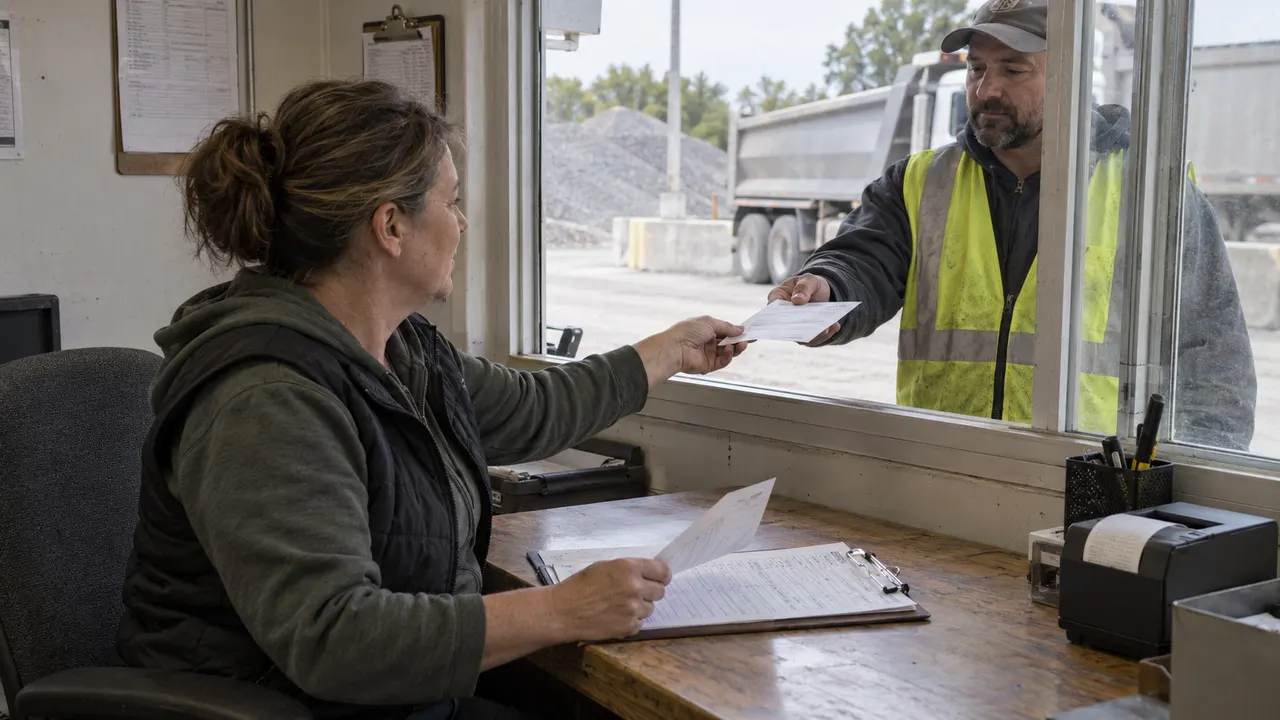
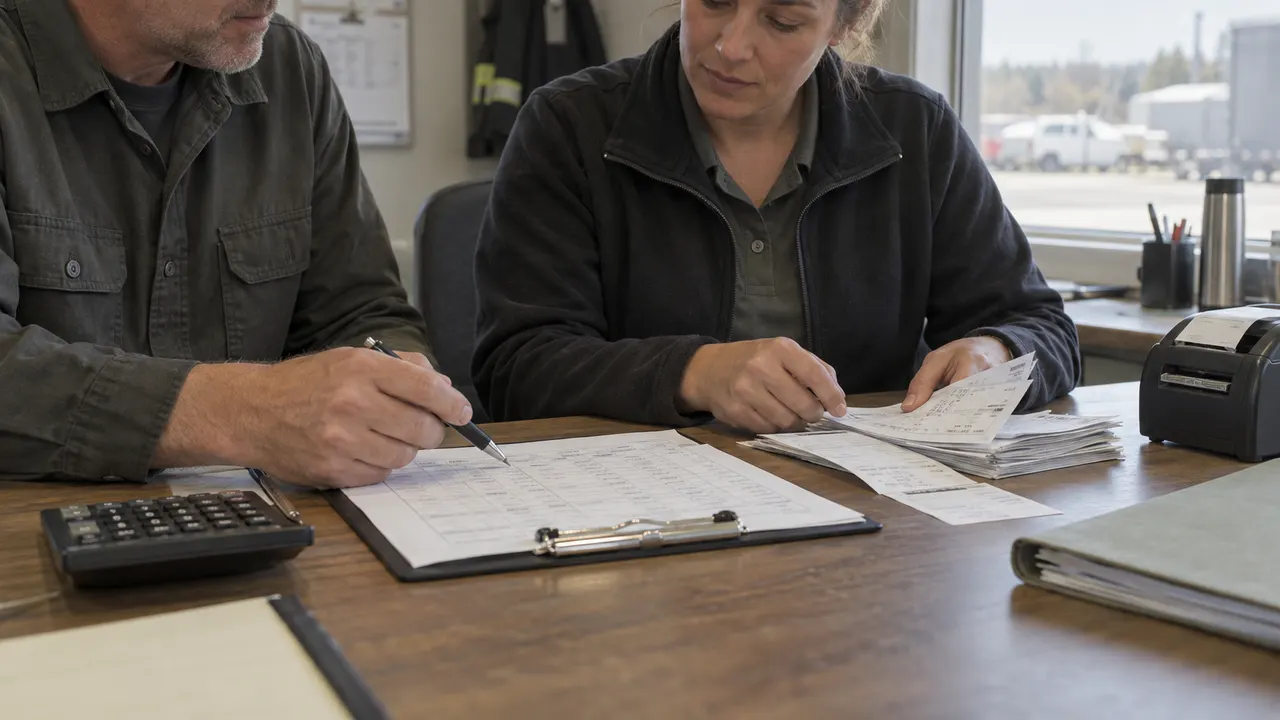
Choose the smallest system that controls the handoff
For a single attended scale, existing equipment software with a consistent ticket register may meet the operating need. Evaluate a packaged product when its device support, ticket layout and reporting fit. Discuss custom development when approval rules, record ownership or downstream reconciliation need a workflow tailored to your business.
Use your actual exception cases in the demonstration
Bring a duplicate reading, an expired stored tare, a mixed-unit pair and a correction after export. Ask the vendor to show the record changes, permission checks and final accounts status. A successful normal ticket alone does not settle how the busiest shift will recover from an error.
Specify the software and equipment responsibilities together
List the indicator model, interface protocol and approved capture behavior with your weighing-equipment provider. Calibration, device installation, commercial weighing approvals and traffic controls need their own responsible specialists. The software quote should identify the transaction rules, interfaces and acceptance evidence it will deliver.
Keep timber operations with their existing workflow
Forestry teams also need land, job and timber-service records beyond a general scale transaction. Use the existing forestry-service page for that sector-specific scope, then define any ticket reference shared between the two workflows.
Explore forestry service softwareReview the carrier bill against the transport agreement
A weigh ticket may support the quantity on a carrier bill. Use the freight-audit requirements to connect that evidence to dated rates, charge exceptions and the approved finance handoff.
Explore freight invoice audit developmentConnect the measuring equipment to its calibration record
A scale ticket describes a weighing transaction. The measuring equipment also has its own calibration schedule, result documents and authorization for use. Keep those references connected so the responsible technical team can review restrictions and earlier transactions when an equipment finding needs follow-up.
Explore calibration management developmentA weigh-event-to-reconciliation workflow
Use these six stages to define the build, evaluate a vendor demonstration and assign ownership when a load leaves the normal sequence.
Open the load transaction
The scale clerk selects the site, vehicle, hauler, material, customer or supplier, and order reference. Give the visit a unique transaction ID. Separate inbound receipts, outbound dispatches and weighing-only jobs so their subsequent approvals are clear.
Capture and qualify the first reading
Attach the reading to its scale identifier, unit, capture time and input method. Your specification should say how an accepted reading is identified, how an operator records a manual entry and what happens when the device feed is unavailable or repeated.
Pair gross and tare for the same load
For a two-pass operation, match the second event to the open transaction and identify which event represents gross and which represents tare. Check vehicle identity, units and the agreed time window. Stored tare values need a dated policy and an approval path when vehicle configuration changes.
Validate the quantity and release the ticket
Calculate net weight using the accepted same-unit gross and tare values. Hold negative results, missing readings or inconsistent material references for review. Assign the ticket number and version at release, then retain the record that supports the printed or digital document.
Resolve corrections without losing the history
A supervisor reviews the reason and evidence for a change. Keep the issued values, author, timestamp and replacement link. Separate reprinting from changing a transaction, and send the revised version to the same downstream owner that received the original.
Reconcile tickets with the receiving system
Create an export batch with ticket IDs and versions. Record the destination acknowledgement or rejection for each item. Retry the same delivery reference safely, resolve rejected records and compare batch totals with the ticket register at shift close.
Assign permissions to the ticket lifecycle
- Scale clerk: create a transaction, record permitted inputs and issue a ticket within the agreed policy; log the reason and source for a manual weight entry.
- Shift supervisor: resolve incomplete pairs and approve a correction or cancellation; retain the issued version and the reviewer’s decision.
- Accounts reviewer: reconcile export acknowledgements, identify rejected versions and confirm a replacement has reached its destination; preserve the weighing evidence.
- Site administrator: manage vehicle/material codes, role access and effective-dated tare rules; changes to reference data should preserve the meaning of historical tickets.
- Customer or hauler access: limit any portal to the organization’s own released tickets and agreed reports. Separate viewing and downloading from correction authority.
Define delivery, migration and support in the quote
- Migration: provide anonymized vehicle, customer, material and historical-ticket extracts. Map IDs, units and ticket versions; reconcile a sample before choosing the cutover date.
- Interfaces: supply the actual indicator protocol and receiving ERP/accounting file or API contract. Agree ownership, credentials, transport, frequency, retry behavior and acknowledgement format during discovery.
- Connectivity: choose an attended online workflow or scope an offline recovery design. Specify how queued readings and ticket-number collisions will be reconciled after connectivity returns.
- Deployment: agree hosting access, backups, restore checks, operator training and a rollback plan that retains transactions captured during the cutover.
- Support and pricing: request an estimate for the agreed records, approvals, interfaces and ticket layout. Include device-provider work, hosting, maintenance, support hours and change requests in the commercial review.
Define five records that can survive a disputed ticket
A clear data model separates the source reading from the load transaction, the issued document and the result of a delivery to accounts. Bring these fields to the scoping meeting and require them in your acceptance demonstration.
| Record | Example inputs | Required output and control |
|---|---|---|
| Weigh event | EV-101 · scale ID · TRUCK-07 · captured at · 31,860 kg · input method · acceptance evidence | Retain the original reading and its source. Repeated delivery of EV-101 maps to one event; a manual entry has its own reason and author. |
| Load transaction | TX-101 · material · customer/supplier · order · gross event · tare event · inbound/outbound | Open → awaiting pair → review or ready. Confirm the vehicle and units before calculating the net quantity; retain holds and their resolution. |
| Issued ticket | TKT-101 · TX-101 · version 1 · 19,440 kg net · release time · releaser · document reference | Store the released values and version used for the document. Reprinting version 1 does not allocate another sale or load. |
| Ticket revision | REV-101 · original ticket/version · corrected values · reason · evidence · approver · replacement version | Keep the original and the replacement connected. An approved correction triggers a downstream reconciliation task for the affected ticket. |
| Export and acknowledgement | BATCH-101 · ticket/version · delivery key · destination · accepted/rejected/pending · response reference | Repeat delivery safely with the same key. An acknowledgement closes the handoff; rejected and missing responses stay visible to accounts. |
Worked example: an accepted gross reading of 31,860 kg and tare reading of 12,420 kg give 19,440 kg net (31,860 − 12,420). If the approved tare is corrected to 12,500 kg, the replacement ticket carries 19,360 kg net, a decrease of 80 kg. Retain both ticket versions and reconcile the replacement with accounts. The arithmetic illustrates record handling; use your approved weighing and commercial rules for an operational transaction.
Compare established scale software against your transaction rules
The providers below describe their own products. Use the questions to evaluate packaged software alongside a tailored Codeblix development scope.
| Option | Published focus | Ask in your demo |
|---|---|---|
| Avery Weigh-Tronix PDOX | Transaction recording and reporting, with single-site, multi-site and unattended options. | Can you show an issued ticket, a supervisor-approved replacement and a reconciliation report that retains both versions? |
| AWS Interact Cloud | Cloud ticketing, material records, multi-site access and hardware integration options. | How does a rejected accounts delivery appear, and what prevents a retry from duplicating the accepted transaction? |
| OAS scaleo | Weighing and export functions with editions for configurable self-service and expanded processes. | Which edition supports our capture protocol and approval flow, and how is a corrected ticket traced after export? |
Evaluate the fit of the complete transaction lifecycle, then compare license, implementation and support terms. A custom build needs a written scope tied to the same record and exception checklist. Ask each provider to confirm your equipment and interface requirements directly.
Category reference: OAS: truck-scale data capture, evaluation and export. The record model, worked example and checklist above are Codeblix planning resources.
Connect a load ticket to its yard visit
Yard management tracks the vehicle visit, trailer location and physical moves. Use a shared visit reference when useful; keep the weighing transaction and released ticket accountable in their own lifecycle.
Open the related solutionPlace weighing records in the wider logistics workflow
Explore logistics software decisions around vehicle visits, shipment operations and warehouse handoffs.
Browse logistics software pathsQuestions before commissioning truck scale software
Settle these choices with your operations team, equipment provider and software delivery partner.
What does Codeblix offer for a truck scale software project?
Codeblix offers custom software development and a consultation to define your weighing-record, ticketing and reconciliation requirements. Bring sample records, equipment details and the receiving-system contract so the scope and estimate can address your actual operating rules.
Should we buy packaged scale software or commission a custom build?
Start with a packaged product when its supported equipment, ticket formats, controls and support meet the need. A custom build is worth discussing when the approval process, data ownership or accounts handoff needs a tailored workflow. Compare both routes using the same exception cases and total delivery responsibilities.
How should gross, tare and net weight be stored?
Store gross and tare with their units and the source weigh events, then derive net using the agreed same-unit calculation. Specify which reading is gross or tare rather than relying on capture order. Validate stored tare age, vehicle changes and incomplete or inconsistent pairs before ticket release.
What happens when an issued ticket needs correction?
Require a reason, evidence and the right approval. Retain the original version, issue a linked replacement and make the affected accounts handoff visible. A reprint reproduces a version; a correction changes the commercial record and needs its own reconciliation.
Can a project connect to our scale indicator and accounts system?
Connection feasibility is assessed from the actual device protocol and receiving API or file format. Share model numbers, interface documentation, approved capture behavior and a sample acknowledgement. The quote should identify each interface, implementation owner and retry test.
Can the workflow continue when the site loses connectivity?
Choose the recovery policy during discovery. An offline design needs local record identifiers, an operator fallback and clear rules for replay, duplicate events and ticket numbers when service returns. Include those recovery cases in the scope and acceptance checklist.
What should we provide for a development quote?
Send anonymized examples of normal and corrected tickets, roles, vehicle/material codes, peak transaction patterns, sites and equipment interfaces. Add hosting constraints, migration history, support hours and the downstream reconciliation rules. Codeblix can use that brief to discuss scope, delivery stages and costs.