
Buy a fee-record application for your tuition operation
Acquire Macro-Manage around a returning, new and inactive learner intake.
Request Macro-Manage for an owned tuition roster and fee operation. Work enrolment years, earlier history, intake imports and staff handover before purchase.
Buy Macro-Manage's application and domain for an existing tuition operation's own roster and fee records. Request the current individual software asset through the Macro-Manage Flippa listing. This purchase case is for an operator taking ownership of a focused internal application, with its intended internal use and deployment arrangement agreed in the transaction.
The buyer already has learners, enrolment decisions and external payment records it is entitled to maintain. Those relationships and records are supplied by the buyer. The offer concerns the software package and agreed transfer assistance. The practical acquisition decision is whether the existing organisation roster, calendar-year fee grid and payment-entry model fit the operator's next intake without losing the meaning of earlier records.
Request the whole application for your owned tuition records
Request Macro-Manage for an existing tuition operation →
Inspect the Macro-Manage asset page and the broad fee-software acquisition brief. Ask Codeblix to confirm the source, domain, documents, account arrangement, internal-use scope and assistance included in the offer. Explain that your primary goal is maintaining your own organisation's records, rather than recruiting unrelated organisations as software customers.
The documented product includes organisation-scoped rosters, multiple enrolment years, a twelve-month grid, full and partial payment entries, histories, receipts, exports and analytics. It is a fee-record application, with separate organisation software-billing foundations. It is not represented here as a term-based school ERP, a bank reconciliation service, automated member payment collection or a delivered legacy-database migration. Put any essential extra requirement in one separate scope before accepting the asset.
The worked buyer is preparing a new intake with old history intact
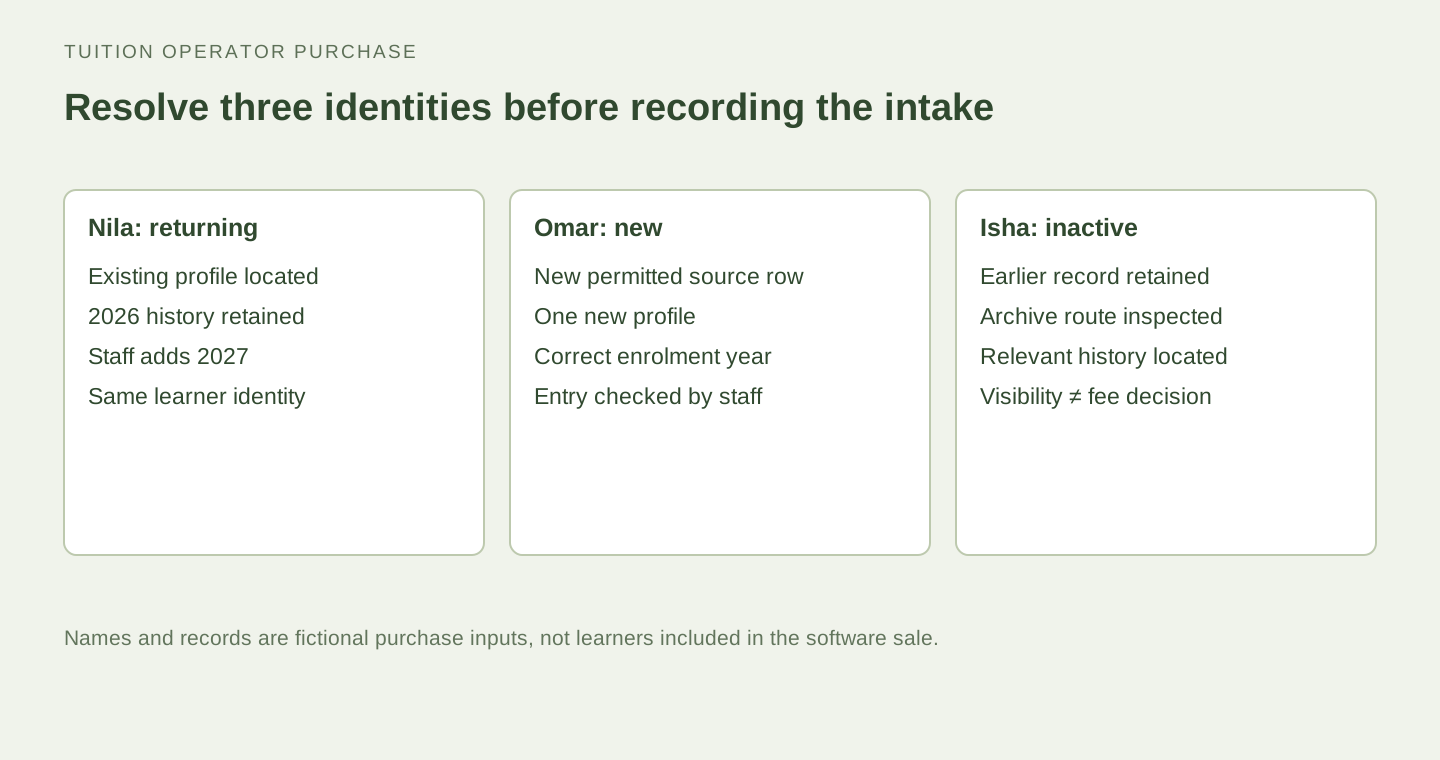
Imagine a fictional tuition operator preparing records for 2027 while it still needs to explain 2026 payments. Its permitted roster contains Nila, who returns for the new year; Omar, who joins for the first time; and Isha, who attended previously and is now inactive. These names and records are artificial purchase inputs, not genuine learners or customer data supplied with Macro-Manage.
The operator wants to keep those three histories understandable. Nila should remain the same person with an additional enrolment year. Omar needs a new record for the correct year. Isha's older payment history still needs a traceable place even when the ordinary active roster changes. The buyer's acquisition test centres on those identity and year decisions.
That is a specific reason to buy the application as an internal operating asset. The operator is not estimating software subscriptions from schools it has yet to find. It is deciding whether its own staff can manage an intake and explain recorded fees through the delivered workflow, with a human migration procedure for information coming from its existing records.
Choose which existing register is authoritative for the intake
Before entering anything, the buyer names the source its staff will use to confirm learner identity and enrolment. It may be a permitted current register and a separate set of confirmed payment records. The software purchase does not decide which of two inconsistent source sheets is correct. A named tuition administrator should resolve those differences through the operator's own process.
Prepare a small artificial register with the three example learners. Include the names, relevant contact details, desired custom roster fields and enrolment years needed for the workshop. Keep the example small enough that the administrator can explain every row and identify which record is new, returning or inactive.
Ask the seller to demonstrate the current roster fields and normal entry route using that register. Then record how the buyer's source information maps to actual application fields. An existing contact column may map directly; a field describing a specialist tuition policy may remain descriptive information. The buyer should know which fields affect the fee model and which simply help staff recognise a learner.
Use an intake-and-year-transition purchase ledger
| Learner | Authoritative intake decision | Current application action to inspect | History to preserve |
|---|---|---|---|
| Nila | Returning learner for 2027 | Find the existing profile and add the enrolment year | Keep the 2026 profile relationship and earlier payment entries |
| Omar | New learner for 2027 | Create one organisation-scoped profile with the correct year | Keep the new record distinct from similarly named existing people |
| Isha | Previously enrolled; now inactive | Inspect archive and restore controls and the relevant year views | Retain the explanation of earlier payments and balances |
Put a responsible staff member and an evidence reference beside each row. The buyer's administrator should be able to explain the decision before the seller changes a record. This makes the demonstration an acceptance exercise for a real intake pattern rather than a tour of unrelated fee screens.
The ledger should distinguish the source register, the application profile and the payment entry. Those are connected pieces of evidence. A name appearing in all three is helpful, while the buyer still needs to establish that they refer to the same fictional person and the intended period. The record remains useful when the operator later prepares its own authorised migration.
Add a returning year to the existing learner deliberately
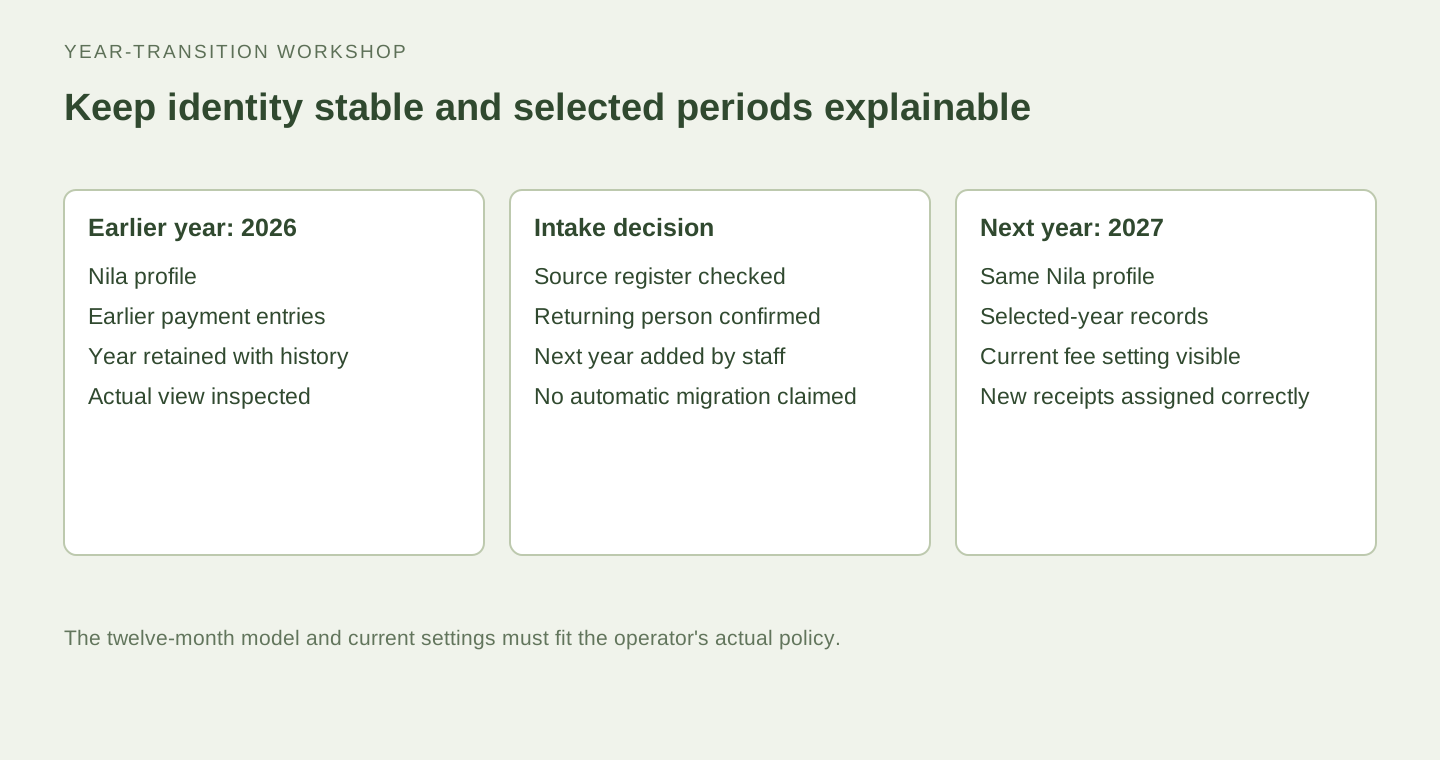
Ask the seller to locate Nila's artificial existing profile and inspect its enrolment years. The source supports multiple years on one student or member record. Add the next required year through the current authorised edit route, then return to the relevant roster and fee views to inspect the result.
Use this step to establish the buyer's procedure for recognising a returning learner. Staff should search and confirm the existing record before creating another. An intake can contain a name spelling change or a different contact detail, so the operator needs a human way to resolve identity from the source information it is entitled to use.
The inspected source protects an enrolment year that already has payment history from being removed through the normal profile update. Ask the seller to demonstrate the relevant supported behaviour with the artificial record. This gives the buyer a concrete connection between the learner's year list and the history it needs to explain after the transition.
In that artificial workshop, attempt the protected change only on the agreed test profile, then inspect the unchanged enrolment list and earlier history. The administrator should recognise the response and know why it appeared. This is useful intake training: a returning learner's old year is part of an explainable record, rather than a disposable label to remove when preparing the next intake. Keep the observed result with Nila's row in the purchase ledger.
Create the new learner without borrowing another person's history
For Omar, create a new artificial record using the normal authorised roster controls. Confirm the organisation and the intended enrolment year. Open the resulting profile and selected-year grid so the buyer can recognise the newly created row and the fields its staff will maintain.
Include a deliberately similar existing name in the source example if that matters to the operator. The purchasing test should reveal the human identification procedure, not rely on names being unique. The buyer should decide which permitted reference or descriptive field staff will use to distinguish people within the actual delivered roster model.
Ask how the staff member checks their work after entry. A small comparison with the source register can confirm the name, contact context, custom fields and year before fee records are added. This gives the operator a practical first-intake procedure using current controls, with any required additional identifier or validation feature clearly scoped.
Treat photo import as an entry route followed by checking
Macro-Manage documents Gemini-assisted image-to-roster import. The inspected implementation processes extracted rows and creates valid new records, with same-year fingerprint checks that can skip matching entries. It is not represented here as a pre-save suggested-row approval screen. Ask the seller to demonstrate the actual current import sequence using a small artificial image.
After the import, compare the created records with the permitted source image and inspect any skipped or failed information. Include one ambiguous character so the administrator has a real checking question. The operator remains responsible for correcting the resulting roster through the normal supported controls. The source allows manual entry when image reading is unavailable.
Keep returning-learner recognition in the human intake ledger. A new-year image can contain someone who already has an older profile, while the import's duplicate checks are scoped to the selected year and current fingerprint logic. Ask staff to resolve that identity before using imported records for fee entry. Any stronger cross-year matching or migration automation should be separately agreed.
Match the calendar grid to the tuition model you actually operate
The delivered fee grid has twelve calendar months, and the organisation has a monthly fee setting. Ask the seller to show the selected year, current setting and resulting view with the artificial intake records. The buyer should be able to identify which learners are enrolled for that year and what the displayed figures mean.
The inspected summary model uses twelve months for its expected amount across enrolled records. An operator with terms, irregular sessions, mid-year charging, family discounts or individual schedules should test those requirements explicitly. Descriptive roster fields do not automatically create a different charging engine. Keep the application's actual model aligned with the fee-record promise the operator intends to use.
For the fictional workshop, use a simple monthly arrangement that fits the demonstrated model. This lets the buyer accept a clear initial workflow. If its real operation needs another calendar or charging rule, record the exact difference and request a specific scope before adopting the application for that purpose.
Calculate the selected year's summary with the artificial intake
Give the buyer's administrator a small calculation it can check independently. Keep the fictional monthly setting at ninety units and enrol Nila and Omar in 2027. Leave Isha outside that new year. Under the inspected twelve-month summary model, each enrolled record contributes ninety multiplied by twelve, or one thousand and eighty, to the expected amount. Two such records therefore produce two thousand one hundred and sixty.
Now use a fictional January receipt of forty-five for Nila and ninety for Omar, with no other test entries. The recorded amounts total one hundred and thirty-five. The following table shows the corresponding annual arithmetic for this controlled example. These are artificial software-test values, not actual fees, revenue, debt or a prediction of what the operator will collect.
| Enrolled record | Expected at 90 × 12 | Recorded test amount | Remaining model amount |
|---|---|---|---|
| Nila | 1,080 | 45 | 1,035 |
| Omar | 1,080 | 90 | 990 |
| Two enrolled records | 2,160 | 135 | 2,025 |
Ask the seller to show the relevant summary and explain the selected year, roster and setting behind it. The administrator should be able to reproduce the artificial calculation from those inputs. It should also recognise the separate January state: Nila's recorded amount is partial for that month, while Omar's equals the fictional monthly fee. A monthly cell and an annual summary describe different scopes of the same record set.
This calculation gives the operator an informed purchase decision. If its actual tuition policy uses a different expected period or charging rule, it can identify that exact mismatch and request an agreed change. If the simple monthly model fits, it has a transparent basis for staff training and record checks. The application's model amount should always be explained through the operator's actual policy and accepted configuration.
Repeat the explanation after selecting the earlier artificial year. Staff should identify the enrolment records and transactions relevant to that selection, with the current fee setting visible. That makes the year transition an observable record-keeping procedure. The buyer can accept the delivered model or resolve a specific historical-pricing requirement before committing its real records to the application.
Record a confirmed receipt in the intended month and year
Use an artificial monthly fee of ninety units and a confirmed receipt of forty-five units for one selected period. The values are workshop arithmetic, not real fees or revenue. Ask the seller to record the received amount through an authorised organisation role, then inspect the history and the period's partial-payment representation.
The source records the learner, month, year, amount, method, received date and optional note. It checks that the learner belongs to the organisation and is enrolled for the selected year. Ask the operator to point to those inputs before saving, then trace the resulting entry from the period view.
The buyer's external evidence establishes that the tuition operation received the money. The application entry records that fact in its fee workflow. The purchasing test should leave staff able to explain both records without treating a coloured cell or a receipt document as independent proof that a payment reached the operator.
Leave the earlier year's payment explanation intact
Return to Nila's 2026 artificial history after adding 2027. Ask the seller to show the selected-year controls and the earlier relevant entry. The buyer should be able to distinguish the old period from the new intake without changing the learner's identity simply to open another year.
Then ask the administrator to explain a remaining balance using the actual history and setting shown. The source's summaries derive from recorded transactions and the organisation's current fee configuration. The buyer should test the views it needs and identify any stronger historical-pricing requirement separately, especially if its own fees change between years.
Keep the operator's old source records available through its permitted retention procedure while accepting the transition. The purchase conversation should specify any migration assistance and evidence, rather than assume earlier spreadsheets or external payment files arrive automatically inside the acquired application.
Archive a departed learner without confusing visibility and obligation
Use Isha's fictional record to inspect the current archive and restore controls. The source supports an active flag and roster queries that can include archived records. Ask the seller to show the normal active list, the relevant archived route and the restored view using the same artificial person.
Archiving changes roster visibility; the buyer should inspect its actual effect on histories, selected-year totals and reports. The source's year summary considers enrolment and recorded payments, so an inactive flag should not be advertised as a debt waiver or an automatic cancellation of past fee expectations. The tuition operator supplies the actual enrolment and fee decisions.
Put that distinction in the intake ledger. Staff should know whether Isha is absent from the active roster, which years remain recorded and where earlier payment questions are answered. This makes the purchased workflow useful for an ordinary departure without promising an unimplemented withdrawal or financial write-off process.
Make one deliberate correction before accepting the intake
Choose one artificial mistake, such as a contact detail typed incorrectly or a payment entry placed in another permitted month. Ask the seller to demonstrate the current authorised correction route and inspect the result. Keep the expected correction written in the ledger so the buyer can check the same learner and period afterwards.
The inspected source includes organisation checks, manager-authorised changes and payment deletion with related audit information. The buyer should assess the actual user-facing controls its staff will have. This gives it a practical way to teach the correction procedure while keeping specialised accounting or immutable-ledger claims outside the agreed product scope.
Use the correction to identify responsibility. A roster administrator may know the correct contact information, while the person responsible for payment evidence must confirm the fee entry. The acquisition should leave the operator with a clear human procedure attached to the actual permissions, rather than an assumption that every staff member can change every record.
Accept a useful record for the staff member starting next week
Ask a second authorised staff member to follow the artificial ledger. They should find Nila's returning profile, Omar's new entry and Isha's archived history, then explain one recorded receipt in the intended period. This is a practical handover rehearsal for the internal operation the buyer wants to own.
Inspect the current export and receipt routes using the same fictional data. Compare the selected year, person and amount with the ledger. The buyer should identify which record each output represents and how it fits its existing staff procedure. An export is most useful when another person can explain its scope without guessing which view produced it.
Confirm the organisation and platform-owner access arrangement in the transaction. Owning the application and operating its internal roster are connected but different responsibilities. The buyer needs someone who maintains the software and someone who is authorised to maintain the tuition records, with the actual account controls accepted for both jobs.
Complete the tuition operator's application purchase record
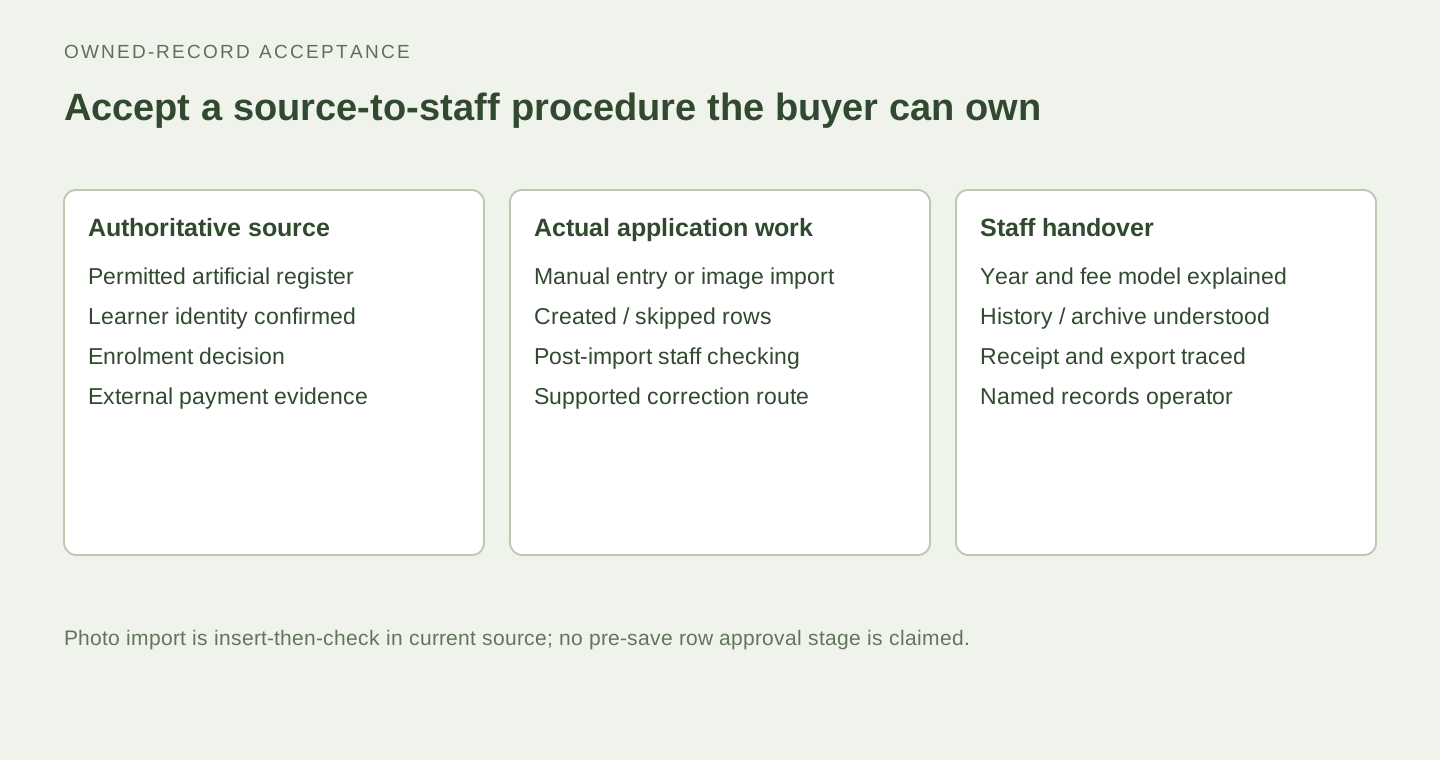
Use these answers to prepare the current offer request. Keep the three-learner intake ledger and the artificial summary calculation together, so the person accepting the purchase can explain both identity and money-record scope. Leave an item open where the operator still needs a seller demonstration, a policy decision or separately agreed migration work.
- Prepare a small permitted artificial register that includes returning, new and inactive learners.
- Ask Codeblix to demonstrate the identity, year, payment and archive routes in one connected workshop.
- Record any gap between the delivered calendar model and your actual tuition policy as specific additional scope.
- Agree the application transfer and owned-record migration procedure before entering live intake data.
Request the Macro-Manage acquisition package on Flippa with the completed intake-and-year-transition ledger. The operator is buying software for a record-keeping job it already owns, with the learner identity, period history and staff responsibility understood before purchase.
Explore the products discussed
Explore related acquisition offers