
Buy a software asset for your independent gym
Choose owned member fee records or a dated visitor-pass business around the job at your desk.
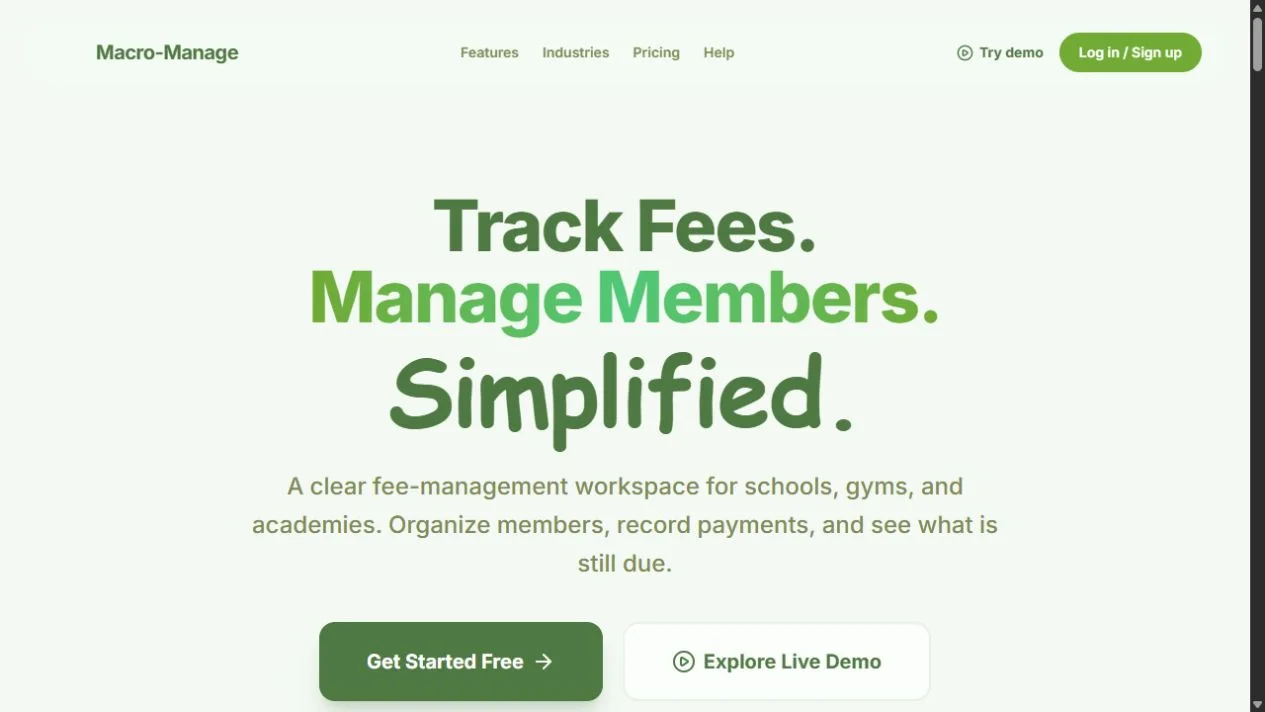
A worked acquisition case for an existing gym choosing Macro-Manage for member fee records or WowGyms for visitor passes. Request the individual package around the record your staff need to explain.
Buy the software asset that matches the offer your independent gym actually runs. If your first priority is owning member rosters and monthly fee records, Macro-Manage is an available foundation to inspect. If your first priority is selling dated visitor access through a pass storefront, request WowGyms. These are different purchases with different customer records.
This worked case follows a fictional single-venue operator with existing members and occasional visitors. The venue, members and examples are buyer-scenario assumptions, not relationships supplied by either sale. The operator wants one focused application and a clear procedure for the person at the desk.
Request the asset for the gym offer you want to own
- Request Macro-Manage's source and domain package for member roster ownership, monthly fee records, partial payments and history.
- Contact Codeblix about acquiring WowGyms for a gym storefront, daily or weekly passes, bookings and QR validation.
Each is an individual offer with its own current price, availability, financial representation and terms on Flippa. Describe the actual offer at your venue when requesting the seller walkthrough. An owner discussing fee records needs a different demonstration from an owner discussing a visitor's dated pass.
The Macro-Manage and WowGyms pages remain the authoritative product owners. Their existing fee-software acquisition offer and gym-pass acquisition offer explain the individual packages. This case focuses on one venue's membership-versus-visitor decision.
Use the member and visitor at the same desk to expose the difference
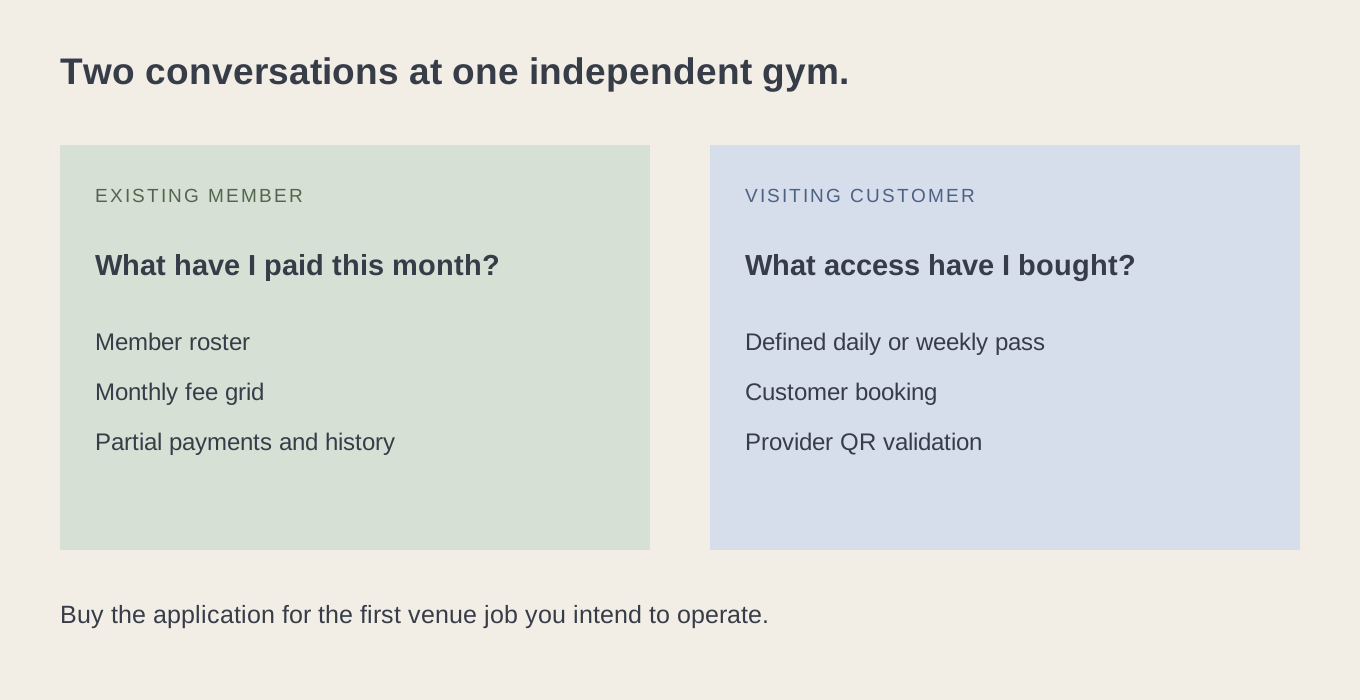
Imagine the venue's manager opening the desk on a Monday. One existing member wants to make another payment toward the month's fee. A visitor wants to buy access for a particular day. Both conversations involve money and gym access, but the software record that matters is different.
For the member, the manager needs the correct roster entry, period, recorded payments and remaining balance. Their immediate job is to understand a continuing relationship and record a payment accurately. For the visitor, the manager needs an understandable access product and a way to recognise the resulting entitlement at the venue. Their immediate job is to sell and validate a dated pass.
The buyer can use those two conversations as the acquisition brief. Rather than request a vague “gym system,” they can ask the seller to demonstrate the relevant record from beginning to end. The outcome is a focused source-and-domain purchase whose delivered job fits the venue's first operating priority.
Buy Macro-Manage around a member record you can explain
Macro-Manage is tenant-aware fee-management software for organizations including gyms. Its documented tools include organization-scoped member records, a twelve-month fee grid, full and partial payment recording, history, receipts and CSV exports. These give the owner a concrete workflow to inspect for their existing membership records.
Use a fictional member and a clearly illustrative fee example. Suppose the exercise uses a monthly amount of 100 units and an initial recorded payment of 40 units. The expected remaining amount in that example is 60 units. The figures are test data, not the gym's actual price or an asset revenue claim. Follow the partial payment through the relevant record and history, then inspect how the manager recognises it later.
The buyer should be able to explain what was recorded, for whom and in which period. Ask the seller to demonstrate the actual receipt or export relevant to that example. This is a recordkeeping purchase: money paid to the venue and money recorded in the application are connected by the operator's real process, rather than treated as the same event by assumption.

Give the monthly grid one clear operating rule
The venue owner already has a way of deciding its member fees. The acquisition exercise should choose one ordinary case and make its record understandable. Start with a full payment, a partial payment and a member with no recorded payment in the selected month. Use the delivered grid and history to inspect how the operator distinguishes them.
Then have the manager answer a simple question: “What does this row tell us today?” They should be able to identify the member and period, recognise what has been recorded and know which source supports the entry. A useful interface becomes more valuable when the operating rule is consistent, especially when someone other than the owner is using it.
Keep the venue's access policy in its own procedure. A fee record is not automatically a door-control instruction. If the owner wants a particular access rule triggered by arrears, they should request the exact delivered behaviour and agree any additional requirement. The focused starting purchase can remain the fee-record workflow the seller demonstrates.
Bring the existing roster into a controlled first exercise
The buyer has an existing member relationship, so a roster is a practical starting point. Macro-Manage supports manual roster entry and optional AI-assisted image imports, alongside CSV reporting exports. For the first seller walkthrough, use fictional records or material the buyer is authorized to use. Match the imported entries to the expected member names and configurable roster fields.
The purpose is to inspect the record the venue will operate. Ask for the actual input requirements and resulting roster. Photo import creates valid rows on completion, with recognised year-scoped duplicates skipped; the operator checks and corrects the actual records before operational use. Manual roster entry can be an intentional first choice for a small venue with an existing spreadsheet.
Also inspect the documented archive and restore behaviour for a test member. The venue can then plan how it will keep its working roster understandable over time. Any historical data included in an actual transfer should be expressly agreed; the fictional exercise does not establish that real members or payment records come with the software sale.
Buy WowGyms around a visitor's defined access period
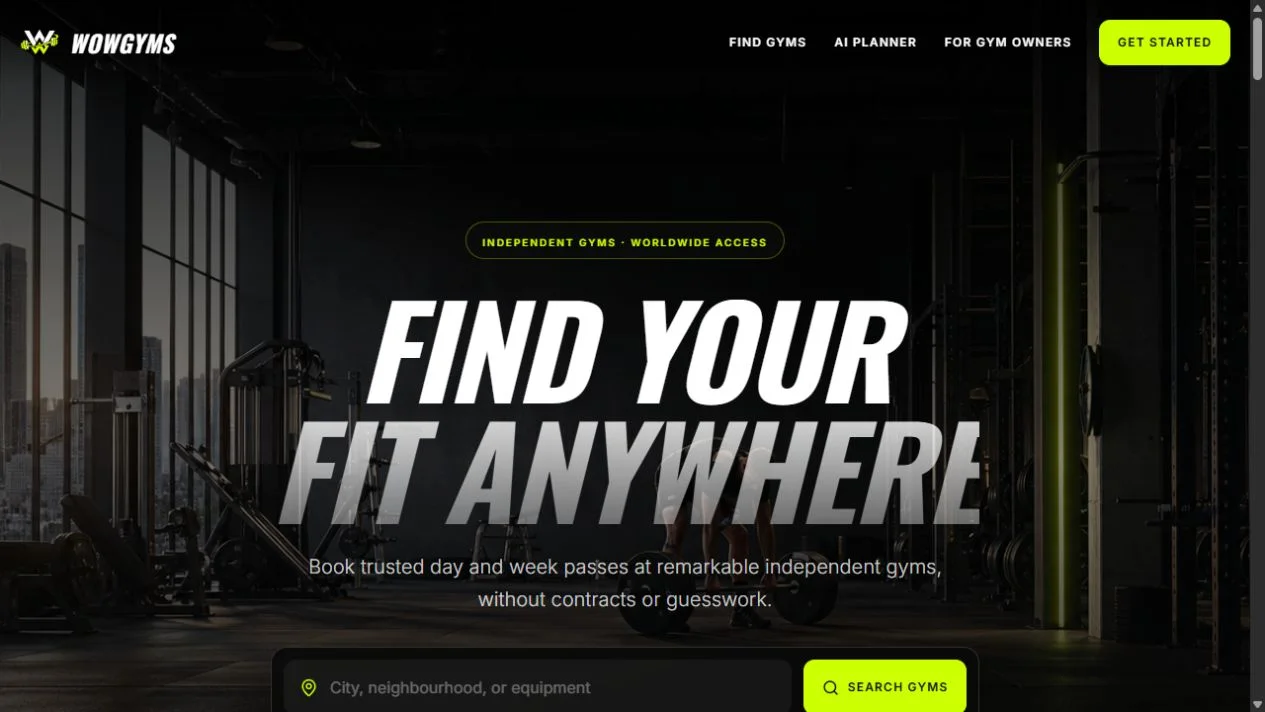
The visitor conversation begins with an access product, rather than an existing monthly fee row. WowGyms provides gym and studio discovery, provider storefronts, daily and weekly pass management, bookings and a digital pass with QR validation. The venue owner can request a complete example around the visitor access they intend to sell.
Choose a fictional visitor and one supported pass. Inspect the storefront description, selected date or period, booking record and pass information. Then inspect the provider-side validation. The buyer should see how the visitor's purchase becomes an entitlement the venue can recognise, with the relevant state visible in the delivered workflow.
This is a stronger buying exercise than counting demonstration gyms. The fictional buyer already operates the venue in the case; the seller supplies an application foundation. The owner still decides how its staff will validate access and explain the offer. The product's QR workflow is useful evidence of the software, while an actual door or turnstile integration would need its own agreement.
Make the venue's pass wording useful before testing checkout
The guest-facing description should tell the visitor what they are selecting. For the worked case, choose one simple pass and the venue conditions the operator is genuinely prepared to honour. Use the actual fields and controls supplied by the application, and keep any separately communicated condition clear to the visitor.
The owner can then ask the seller to demonstrate the corresponding booking. What information does the visitor retain? What information does the provider see? How does staff establish the relevant date or access state? Those answers make the purchase concrete because they concern a service the venue actually wants to provide.
WowGyms storefront publication is tied to payment readiness: the source documents a gate requiring charges enabled. Demonstration provider references are sample configuration. The buyer should inspect the real onboarding and account handoff needed for their own venue, with a controlled acceptance exercise before making a live commercial claim.
Compare the records at the point where staff make a decision
| Desk situation in this case | First record to inspect | Focused asset to request | Operating question for the venue |
|---|---|---|---|
| Existing member makes a partial monthly payment. | The member, month and payment history. | Macro-Manage. | Who records the payment and which receipt or source supports it? |
| Member asks what has been recorded for the current period. | The fee grid and relevant history. | Macro-Manage. | Can staff explain the entry consistently with the venue's process? |
| Visitor buys a dated access product. | The pass offer and booking. | WowGyms. | Does the visitor understand the access period and venue conditions? |
| Visitor presents their digital pass. | The QR and provider validation state. | WowGyms. | Can the responsible staff member follow the demonstrated procedure? |
The table helps the buyer choose a first priority. It is not a proposal to connect the applications or maintain every member in both. If the venue needs both jobs under one shared identity or integrated workflow, make that requirement explicit. The individual purchases should be evaluated against their actual delivered scope.
Choose the first venue job without buying an undefined system
Which desk question must your first acquisition answer?
Use the selected result in the seller request. It helps both parties prepare a relevant demonstration and keeps the acquisition focused on a venue job, rather than a broad label that could mean many different systems.
Rehearse a correction while the manager still remembers the context
For the member-record path, use a seller-authorized test entry that needs correction. Ask the seller to demonstrate the documented history, deletion or record controls relevant to the case. The owner should understand which record remains available and how staff will explain the corrected position.
For the pass path, use a controlled booking question such as a visitor presenting the wrong access date or asking about the applicable refund process. WowGyms documents booking and refund tools. Inspect the exact state and action needed for this venue's offer instead of describing the tool at an abstract level.
These rehearsals help the buyer assign a practical exception owner. One staff member may identify the issue while another is authorized to change a record or handle a payment-provider action. Use the delivered access model and the venue's own procedure. Any extra staff permissions or hardware connection the owner requires should be separately specified.
Keep three money relationships clear in the purchase discussion
The venue's member fee, a visitor pass purchase and the software platform's own plan are distinct relationships. Macro-Manage records organization fee information while its Stripe plan concerns the organization's software access. WowGyms has pass checkout and provider software-plan foundations. Inspect the configuration relevant to the chosen asset rather than merge these items into one payment claim.
The current provider plan configuration in WowGyms can be free and editable; a configurable paid offer is not evidence of paying providers. Likewise, a sample receipt or monthly payment record in a Macro-Manage demo is not evidence of real member money. Current financial representations remain on the individual Flippa sale.
For the fictional owner, the practical result is clarity. They can ask what service accounts they will operate, what the application records and which real-world payment event supports each record. That is enough to make a focused acquisition request without predicting the venue's revenue or claiming automatic dues collection.
Prepare an ordinary shift for the chosen application
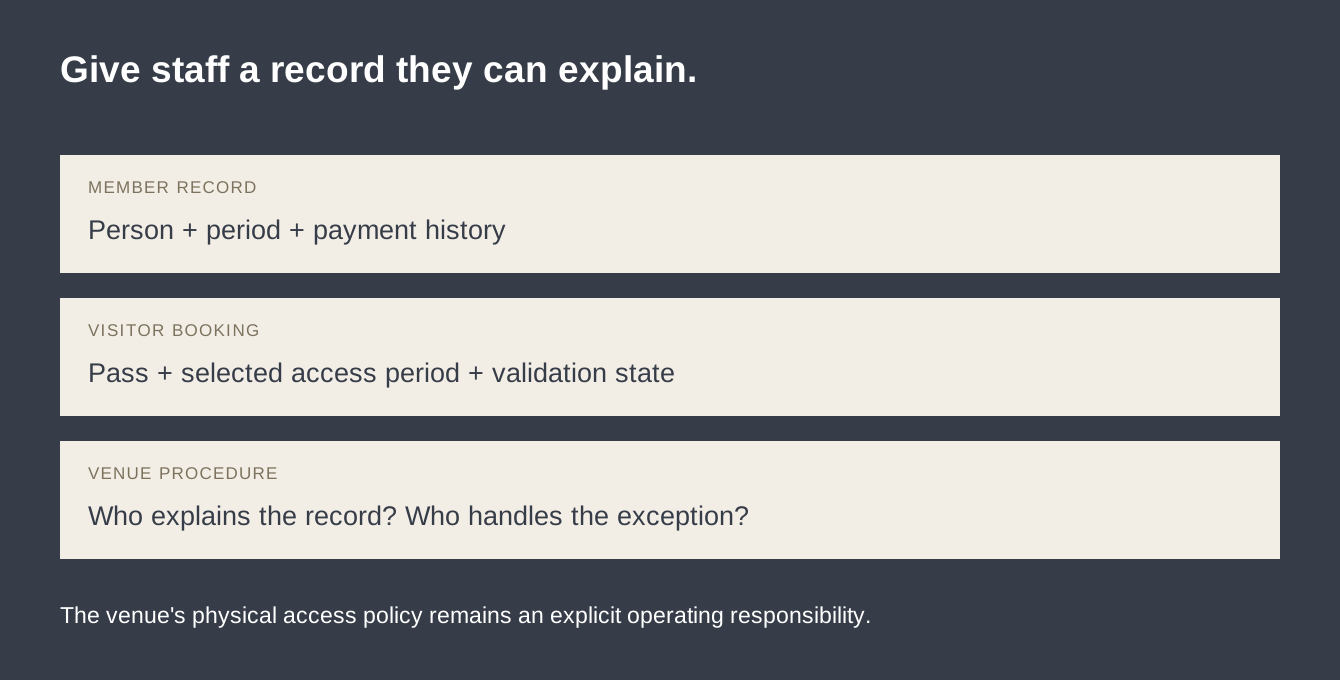
Write a short shift instruction around the selected path. In the fee-record case, identify the organization, member and month before recording or explaining a payment. In the pass case, identify the selected access product and use the demonstrated validation procedure. The instruction should name the person who handles an uncertain case.
Have a colleague use fictional data to repeat it. Can they find the right record and explain what it means? Can they distinguish a member's outstanding amount from a visitor's pass state? The exercise tests the buyer's first operating procedure and highlights any essential access or support requirement before purchase.
The owner can keep this deliberately small. One venue and one clear offer are enough to assess the application. A wider gym network, automated recurring membership collection or a combined management suite may be future plans, but they should not displace the delivered job that makes the initial asset relevant.
Give the returning member a consistent answer across periods
The fictional venue has members who continue from one operating period into another. Macro-Manage documents multiple enrollment years and archive/restore controls, so the owner can request an exercise around a continuing member and a former member. The manager should be able to explain which roster and period they are viewing before discussing a fee.
Prepare two fictional records with easily distinguished names. One continues into the selected year; another is archived as part of the exercise. Ask the seller to demonstrate the actual available records and the path back to history. This helps the owner decide how to organize the real venue's recordkeeping after purchase, using the delivered structure rather than an imagined full membership lifecycle.
Then write the staff instruction in ordinary language: find the right person, confirm the period, read the recorded payment and use the history when the member asks about an earlier entry. The owner can decide who is responsible for a correction and which actual payment source supports it. A coherent procedure makes the software's monthly grid useful to the venue.
Keep any real-world membership decision with the venue's policy. Archiving a record, ending a physical membership and changing a bank or payment arrangement are different actions. The buyer can inspect the delivered record control and prepare the corresponding operating procedure without expanding the software claim.
Make the visitor's first arrival easy to recognise
For the pass path, imagine a visitor arriving while the manager is helping an existing member. The visitor should be able to present the actual information supplied by the booking workflow. The staff procedure should identify the pass and relevant access state clearly enough for the person responsible for admission to proceed.
Use the seller walkthrough to prepare that procedure. Open the fictional booking, inspect the digital pass and demonstrate the provider validation route. Ask which actions are available to the account that will be authorized to perform them. The buyer can then decide how its real venue will staff the task and whether the supplied access model meets the intended arrangement.
Next, use a pass with a different selected period in the controlled exercise. Staff should recognise the discrepancy and know the next contact or action. The aim is a repeatable arrival conversation: identify the booking, understand the entitlement and handle an exception through the agreed route. This is practical evidence for buying an access product.
The owner can place a simple internal instruction beside its existing desk process. That instruction is the venue's operating material, prepared from the actual application. It should be easy to revise when the selected offer or staffing arrangement changes.
Keep the other half of the venue's operation deliberately in place
The fictional venue may decide that fee records are its first priority while its existing visitor procedure remains adequate. In that case, the buyer can request Macro-Manage for the defined member-record job and retain the current visitor arrangement. Alternatively, a venue with adequate member bookkeeping may choose WowGyms for a focused pass storefront. One purchase can have a deliberately limited purpose.
Write that allocation in the acquisition notes. It helps the seller demonstrate the right job and helps the owner explain the change to staff. The chosen software is responsible for the delivered record or entitlement; the existing venue procedure continues to handle the other work. Any desired connection between them can be evaluated separately.
For a buyer who requires one combined system immediately, the result can be a hold while the exact requirement is discussed. That buyer should request a specific scope rather than treat the separate products as a finished combined suite. The useful purchase outcome is an agreed application job, whether the owner proceeds with a focused asset or decides that another offer is needed.
This is also why the venue's current priorities matter more than a long feature checklist. The owner already understands the member and visitor conversations. The acquisition should make the chosen conversation easier to manage through records and a procedure the staff can follow.
Make the acquisition offer name the venue's first operating priority
A focused request might say: “I operate a venue and want the organization fee-record workflow, including the demonstrated partial payment and history.” Another might say: “I want an owned visitor-pass storefront and need to inspect the booking, QR validation and provider readiness for my venue.” Those are concrete, different purchase purposes.
Confirm the individual source, domain and documents, then make any essential remaining requirement visible in the transaction discussion. Link the desired staff procedure to the demonstrated application. The buyer can proceed, request a separately scoped change or choose another product based on the actual job they want to own.
A useful attachment is the one-page desk exercise: the fictional member and month, or the fictional visitor and pass period, followed by the record staff must explain. Include the correction or access question and the person responsible for the next step. The seller can prepare that exact walkthrough, and the buyer can compare the delivered result with the venue's intended offer.
- Choose monthly member records or dated visitor access as the first priority.
- Use the corresponding fictional member or visitor in the seller walkthrough.
- Inspect the record, history or entitlement staff will rely on.
- Rehearse one correction or access exception.
- Separate venue payments from the software's own plan.
- Request the individual package that supports the chosen operation.
Contact Codeblix through the current Macro-Manage or WowGyms sale with the desk question you need answered. The online business collection provides other available foundations if a different customer job fits your venue better.
Explore the products discussed
Explore related acquisition offers