
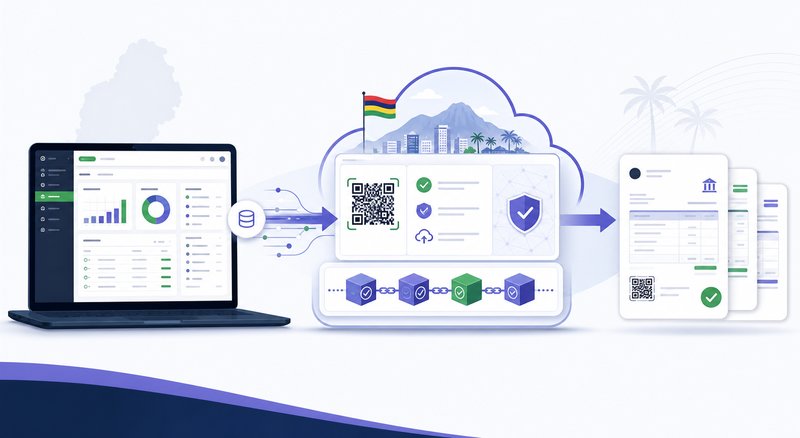
If you are already using billing software like QuickBooks, Sage, Xero, or even Excel spreadsheets, you do not need to throw everything away to comply with MRA e-invoicing. Here is how integration works and what your options are.
Option 1: Switch to a full MRA-listed EBS
The simplest path is switching to a system that is already MRA-listed. Codeblix eInvoicing (SN 95) offers free migration from QuickBooks, Sage, Xero, and Excel. Your customers, items, and historical invoices are imported, and you start issuing MRA-compliant invoices on day one. Read our QuickBooks migration guide for the step-by-step process.
Option 2: Keep your current system and add an MRA layer
Some providers offer an MRA integration on top of your existing software. This typically means:
- You continue using your current software for day-to-day operations
- A middleware layer sends invoices to MRA for fiscalisation
- The middleware handles IRN storage, QR code generation, and hash chain
The problem with this approach: you now have two systems to maintain, two points of failure, and the middleware is often expensive. Read our comparison of Codeblix vs QuickBooks, Codeblix vs Xero, and Codeblix vs Sage to see the trade-offs.
What data gets migrated?
When you switch to Codeblix, the following data is imported for free:
- Customers: Name, BRN, address, email, phone, payment terms
- Items: Product name, SKU, price, VAT rate, stock quantity
- Historical invoices: For the current tax year, for audit trail continuity
- Chart of accounts: Your existing accounts are mapped to the Codeblix accounting structure
How long does migration take?
For most Mauritius SMEs, migration takes one business day. You export from your current system, we import and map the data, run test transactions, and you are live. For larger businesses with more history, plan for 3-5 days including training.
Running in parallel during transition
If you are nervous about switching, run both systems in parallel for one month. Issue invoices in Codeblix while keeping your old system as a reference. Once you are confident, cut over fully. Read our MRA e-invoicing guide for what to check during the transition, or check if you need to reconcile bank statements after switching.
What about Excel?
If you are running your business on Excel, now is the time to switch. Excel cannot fiscalise invoices, cannot produce a hash chain, and cannot generate the MRA transaction report. It is not a billing system. Compare Codeblix vs Excel for the full argument, and start a free trial to see the difference.
Why this matters for Mauritius businesses
Mauritius is rolling out MRA e-invoicing in phases by taxpayer category. The timetable and status can change, and MRA may separately notify a taxpayer, so businesses should check the current MRA e-invoicing page and their own notices before acting on a deadline.
The Codeblix approach
Codeblix eInvoicing is MRA-listed as an EBS Solution Provider (SN 95, BRN C24214425). The system handles every aspect of MRA compliance automatically - real-time fiscalisation, IRN tracking, QR code generation, hash chain maintenance, and monthly transaction reporting. The local support team in Chamouny is available to help with any MRA query, audit, or transition question.
What to do next
If your present process does not support the fiscal-invoice requirements that apply to your business, document the gap and test an appropriate EBS workflow. Codeblix can review your business requirements and onboarding scope before preparing a proposal; regulatory conclusions remain with the taxpayer and its advisers.
Frequently asked questions
The most common questions about how ebs integration works with your existing billing software are covered in the FAQ section below. If you have a question that is not covered, the local Codeblix support team is available by phone, WhatsApp, or email.
Related resources
Codeblix publishes a regular blog covering MRA e-invoicing, VAT compliance, payroll, and business management for Mauritius businesses. The blog is updated weekly with new guides, how-tos, and case studies. You can also find detailed product documentation, video tutorials, and a knowledge base in the Help Centre.
Frequently asked questions
Is Codeblix suitable for how ebs integration works with your existing billing software?
Yes. Codeblix eInvoicing is MRA-listed as an EBS Solution Provider (SN 95, BRN C24214425) and handles every aspect of MRA compliance. The system is suitable for any type of business in Mauritius, from sole traders to large corporates.
How much does Codeblix cost?
Codeblix pricing is shown as indicative starting points. Final pricing is confirmed after reviewing the client's MRA registration, business needs, integrations and onboarding requirements.
Can I try Codeblix before paying?
EBS onboarding is arranged after MRA registration and a review of your business requirements. Contact Codeblix for a tailored proposal.
Does Codeblix support how ebs integration works with your existing billing software?
Yes. Codeblix is built natively for Mauritius businesses, with every feature, screen, and report designed around the local regulatory and business environment.
Where can I get support?
The Codeblix support team is based locally in Chamouny, Mauritius. Phone, WhatsApp, and email support are included in every plan. On-site support is available for businesses in the Plaines Wilhems and Port Louis districts.