MRA-listed EBS Solution Provider SN 95 · Codeblix Ltd

Module

Invoicing software for Mauritius businesses

Create, review and fiscalise invoices with Codeblix EBS.

Prepare invoices, manage approvals and check MRA fiscalisation in Codeblix EBS. Use the EBS workspace or connect a supported accounting or billing system.

Codeblix EBS: from Rs 970/month, up to Rs 2,000

Codeblix EBS starts at MUR 970 total per month per company, with a maximum of MUR 2,000 per month. No VAT is added. The price depends on invoice volume, processing needs and your current system or integration complexity. All EBS features, supported integrations, unlimited users and technical support are included in your agreed subscription. No onboarding fees or additional Codeblix EBS fees. Unlimited invoices are subject to fair use.

AI invoice reading on activation, multiple file upload, spreadsheet batch imports, supported accounting integrations and local technical support are included.

Invoice fair use: Unlimited invoices cover normal business use within your agreed processing scope. Bulk imports and AI reading are processed within service capacity; file and provider usage limits apply. If your invoice volume, processing needs or system connection changes substantially, we review the scope with you and agree any subscription change before it takes effect, within MUR 970–2,000 per month. There are no automatic per-invoice overage charges.

100% automated MRA self-onboarding from MUR 970/month

Codeblix self-onboarding for MRA e-invoicing in Mauritius is 100% automated. EBS subscriptions start at MUR 970 per month, with a maximum of MUR 2,000 based on invoice volume, processing needs and current system or integration complexity. Your monthly price is agreed before activation. The Chrome extension automates the MRA setup workflow, Codeblix runs the required test scenarios, and technical support is included when you need help.

Your authorised person signs in to MRA and approves the company declaration. Codeblix handles LIVE activation and the first-invoice review. No onboarding fee. All EBS add-ons and integrations are included, with unlimited users and invoices subject to fair use.

See how automated self-onboarding works Get technical support

Codeblix EBS video tutorial · Mauritius

Watch how to import invoices for MRA e-invoicing

Upload CSV, TSV or TXT invoice exports into Codeblix EBS, check column matches and totals, save drafts and review an invoice for fiscalisation. Save Excel or Google Sheets exports as CSV first.

1 min 12 sec · Published 16 October 2026 · Demo company and sample invoices.

Ordinary business invoicing in Codeblix Platform

For the customer invoice document workflow, explore ordinary business invoicing. Platform invoicing has a separate scope from the Mauritius MRA fiscalisation offer described on this page.

On this page
  1. How the MRA e-invoicing workflow works
  2. VAT invoices, credit notes and QR codes
  3. Use Codeblix directly or keep your accounting software
  4. Import invoices for review
  5. Check pending invoices and corrections
  6. Company onboarding and current requirements
  7. What does Codeblix EBS cost?

Last updated:

TL;DR - Prepare invoices, manage approvals and check MRA fiscalisation in Codeblix EBS. Use the EBS workspace or connect a supported accounting or billing system.

Codeblix EBS is MRA e-invoicing software for Mauritius businesses. Prepare and review an invoice, submit it through your activated company workflow, then check the fiscalisation result before sharing the fiscal PDF. A saved draft, a successful upload and MRA acceptance are separate steps.

How the MRA e-invoicing workflow works

  1. Set up the issuing company and complete its MRA onboarding and LIVE activation.
  2. Create an invoice or import a supported file. Check customer details, tax treatment, currency, invoice lines and totals.
  3. Follow the configured approval workflow. An authorised user submits the invoice for fiscalisation.
  4. Check the returned status. A fiscalised invoice has an MRA reference and QR code; a draft or pending record has not reached that outcome.
  5. Download, print or share the matching fiscal PDF. Keep its source record and any subsequent correction available.

Watch the current EBS guide for the recorded create, approve and fiscalise workflow. It uses demonstration records and sample QR codes.

VAT invoices, credit notes and QR codes

When you compare invoicing software for Mauritius, ask to see a VAT invoice, its fiscal invoice number and QR code, and a credit note that refers back to the original sale. Check how staff handle an offline POS, a recurring invoice or a multi-currency sale if those are part of your business. Bring an example to your EBS onboarding discussion.

Use Codeblix directly or keep your accounting software

Use the EBS workspace for invoice entry, or review a documented connection for QuickBooks, Xero or Tally. Connection requirements differ by product and edition. An existing accounting subscription remains separate.

For an ERP, POS or custom application, start with the Codeblix MRA e-invoicing integration API. Agree the source fields, issuing company, approval responsibilities and handling of pending or rejected invoices before activation.

Import invoices for review

Import CSV, TSV or TXT batches. Export Excel or Google Sheets data as CSV first. AI invoice reading accepts supported PDF, image and DOCX files into an editable review, with one invoice per file and a 10 MB file limit. Multiple files are read one at a time. Uploading or saving a draft does not fiscalise it.

See the batch invoice import walkthrough and the file formats and processing limits.

Check pending invoices and corrections

Use the MRA queue and invoice status to follow processing. If a submission is pending or its result is uncertain, check the existing record before retrying or issuing another invoice. A record marked Not Yet Fiscalised is not evidence of acceptance.

Use the supported credit-note or debit-note workflow for the required correction. Retain the original fiscal record and review the reference and reason. Ask Codeblix to demonstrate the correction process for your document type.

Company onboarding and current requirements

Mauritius introduces mandatory e-invoicing in stages, and a business may receive its own MRA notification. Check the MRA e-invoicing guidance and your company's notices for the requirements that apply. Provider listing alone does not activate a customer's company.

Start with MRA EBS self-onboarding. Your authorised person signs in to MRA and approves the required declaration; company setup, tests and activation must be completed before genuine LIVE use.

What does Codeblix EBS cost?

The agreed subscription ranges from MUR 970 to MUR 2,000 total per month per company, with no VAT added. Invoice volume, processing needs and connection complexity determine the price. Supported EBS integrations, users and technical support are included. Invoice fair use and third-party software terms apply.

Review EBS pricing and inclusions or discuss your invoice volume and existing system. For ordinary business invoices in the separate app workspace, see Codeblix Platform invoicing.
Key features

  • Invoice review and approval

    Check the draft and follow the configured approval roles.

  • Fiscalisation status

    Follow MRA processing and the matching fiscal document.

  • Imports and connections

    Review supported files and accounting integrations.

Benefits

  • Keep the invoice process clear - Distinguish the draft, approval, submission and accepted fiscal document.

Frequently asked questions

Does saving or importing an invoice fiscalise it?

No. Review the draft, follow the configured approval and submission workflow, then check MRA acceptance.

Can I keep my accounting software?

QuickBooks, Xero and Tally have documented connection workflows. Confirm the product edition and company setup; other systems need an agreed integration or export.

What is the monthly EBS price?

MUR 970–2,000 total per company, with no VAT added. Agree the price from invoice volume, processing and connection complexity. Supported EBS integrations and technical support are included; fair use and third-party terms apply.

Discuss Invoicing for your EBS setup

Understand e-invoicing · MRA video

What is e-invoicing, and why does it matter?

New to e-invoicing? Start with the Mauritius Revenue Authority’s video, ‘Tout savoir sur le e-Invoicing’, then explore what it means for your business.

What is it?
Your billing system sends invoice details to MRA for fiscalisation before you issue the invoice to your customer.
Why does it matter?
It supports transparent billing and tax compliance. Customers can scan the invoice’s QR code to check that it has been fiscalised.
Does my business need it?
MRA is introducing e-invoicing in stages. Check the current MRA requirements and any notification sent to your business to confirm when you must comply.

Video by the Mauritius Revenue Authority. Codeblix helps businesses set up and use an MRA-compliant billing system.

Watch on YouTube →

Keep your invoicing system and connect it to Codeblix

Your developer can send invoices, credit notes and debit notes from your software to the Codeblix API. After successful live fiscalisation, it returns the MRA IRN and QR image. Keep your invoice numbering and branded layout. Codeblix remains your EBS provider, and each issuing business completes its own MRA onboarding.

Start with a simulated sandbox that does not submit invoices to MRA. Live access follows MRA onboarding and activation.

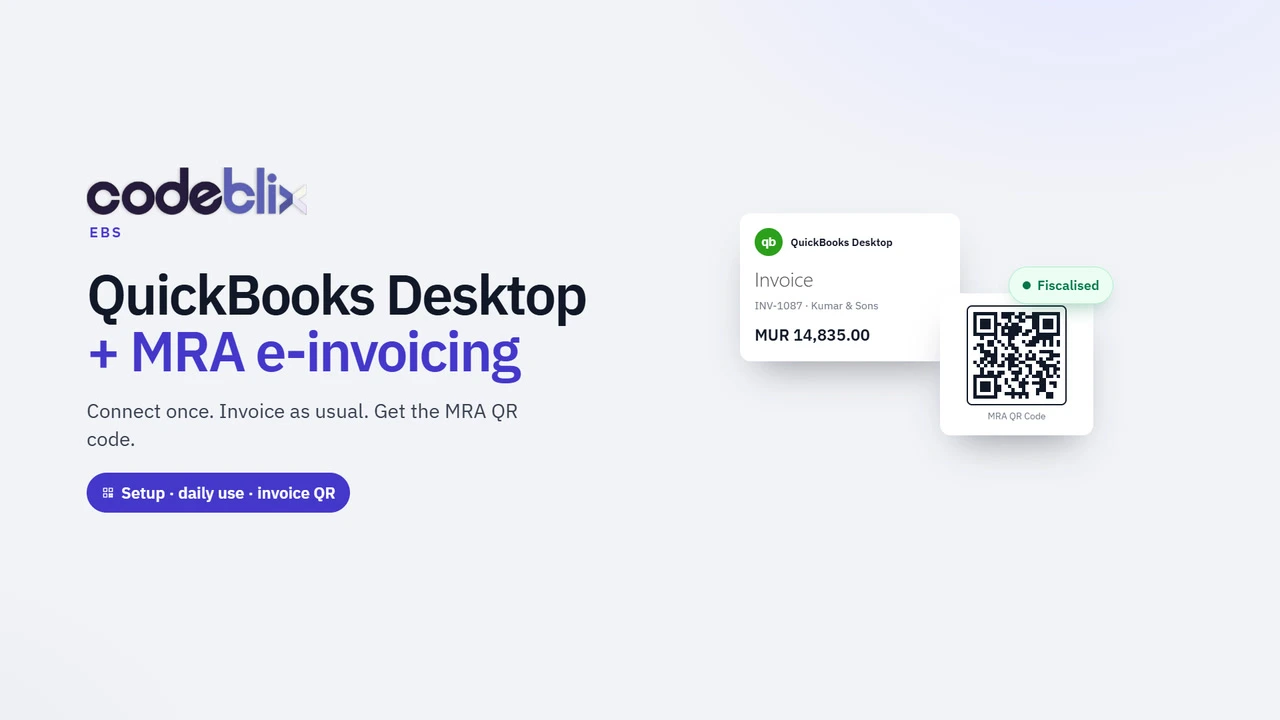
QuickBooks Desktop · Codeblix EBS

QuickBooks Desktop video guides

Start with Version 2: set up Web Connector, enable scheduled invoice sync and find the fiscal PDF with its QR code. Earlier topic guides remain available below. Find the guide for your Desktop backup, connection setup, invoice review, daily sync or support question. Each video has a dedicated watch page, timed chapters and an English transcript. The returns guide explains credit memos, original invoice references, quantity corrections and exchanges.

Browse all QuickBooks Desktop tutorials

Open Codeblix EBS from your desktop or phone

Choose your device: Windows PC, Mac, or iPhone and Android. Each short guide shows how to install the Codeblix EBS web app and reopen your invoicing workspace from its icon. QuickBooks Desktop has its own separate installation and connection setup.

Browse all Codeblix video tutorials →